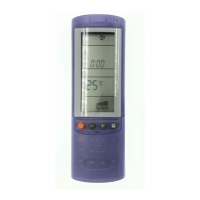
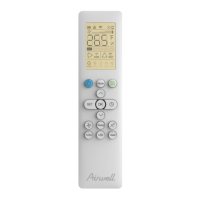
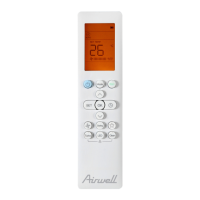
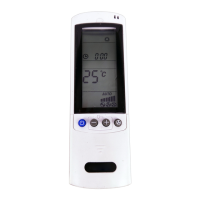
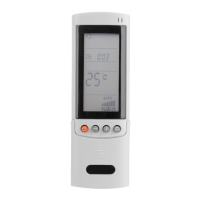
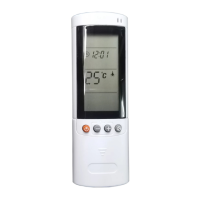
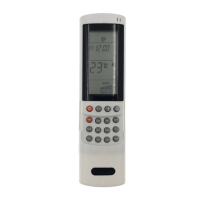
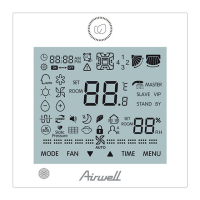
TRANSMITTER
When you press the
buttons of the remote
control unit, the
mark appears on the
display to transmit the
setting changes to the
receiver in the air
conditioner.
DISPLAY
Information are displayed when the remote
control unit is switched on.
Operation Mode
Automatic
Heating
Displayed when data trasmitted Or
remote control unit lock
Automatic supply air flap
oscillation switched on
MODE SELECTOR BUTTON
Press this
button to modify the air
conditioner mode.
When this setting is selected, the air
conditioner calculates the difference
between the thermostat setting and the
room temperature and automatically
switches to the "cool" or "heat" mode.
(heating)
The air conditioner makes the room warmer.
dehumidification (dry)
The air conditioner reduces the humidity in the room.
(cooling)
The air conditioner makes the room cooler.
(fan)
The air conditioner circulate the air.
COOL / DRY / HEAT / FAN Models
Press this button to increase
the set temperature.
TEMPERATURE SETTING BUTTONS
-
(cooler)
Press this button to decrease
the set temperature.
SET BUTTON
Push this button to select the
functions:
set the present time
set the ON-OFF timer
Pushing + or - buttons the
setting of the time and timer
can be activated. For detail
see "HOW TO SET THE
PRESENT TIME" and
"SETTING THE TIMER".
TIMER AND PRESENT TIME
SETTING BUTTONS
TIMER BUTTON
(timer setting)
Push the TIMER on the display
starts the timer ON and
OFF setting procedure.
For detail see "SETTING
THE TIMER".
Push button to activate the
supply air flap to auto swing.
VERTICAL SWING BUTTON
Push the CLEAR button to
cancel all timer setting.
TIMER RESET
Dehumidification (dry)
Fan only
Cooling
Fan speed indication
Automatic fan speed
Low speed High speed
Medium speed
Displayed in Sleep Mode Operation
Set temperature or room temperature
Displayed when the timer is set
and activated.
Displayed when the timer on is set
and activated
ON
Displayed when the timer off is set
and activated
O
F
F
Clock (hours and minutes)
For details, see "Sleep mode".
When you press this button in the
COOL, HEAT or DRY mode, the mark
appears on the display and the
microcomputer in the remote control
unit will adjust the set temperature to
save energy.
SLEEP BUTTON
MODE
+
-
T
IM
E
R
S
ET
C
L
EA
R
FAN SPEED SELECTOR BUTTON
Fan speed is automatically
selected by the
microcomputer.
Low speed.
Medium speed.
High speed.
+ (warmer)
This button turns the air conditioner
ON and OFF.
ON/OFF OPERATION BUTTON
(automatic)
For detail see "HOW TO SET THE
PRESENT TIME"and
"SETTING THE TIMER".



 To Next Page
 Loading...