Need help?
Do you have a question about the Asus P8H77-V LE and is the answer not in the manual?
 General
| Brand | Asus |
|---|---|
| Model | P8H77-V LE |
| Category | Motherboard |
| Language | English |
Introduces the motherboard and lists package items.
Covers electrical safety, operation safety, and general handling guidelines.
Details copyright, warranty, disclaimers, and source code availability.
Explains warning symbols (Danger, Caution, Important, Note) used throughout the manual.
Guides users on where to find more product and software updates.
Details CPU socket, chipset, memory, and graphics capabilities.
Covers SATA, USB, expansion slots, audio, and LAN features.
Highlights unique ASUS features, overclocking, and power management.
Details I/O ports, BIOS overview, manageability, and included accessories.
Lists support DVD contents and specifies the motherboard's form factor.
Introduces the motherboard, package contents, and key product highlights.
Explains H77 chipset, DDR3 memory, SATA, USB 3.0, and PCIe 3.0.
Covers S/PDIF, Intel storage tech, graphics tech, and innovative ASUS features.
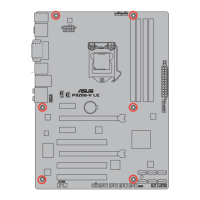
Provides guidance on motherboard placement, screw holes, and component installation.
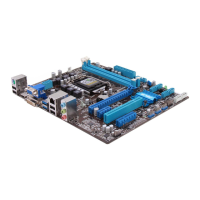
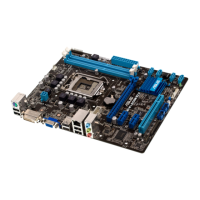
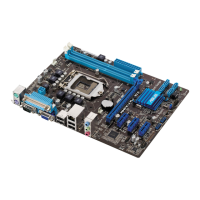
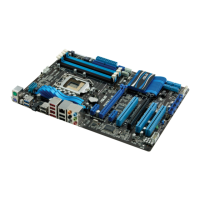
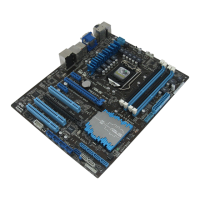
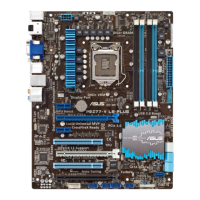
Illustrates motherboard layout and identifies connectors/slots.
Describes the LGA1155 socket and safety steps before CPU installation.
Step-by-step visual guide for CPU installation.
Guides on mounting the CPU heatsink and fan assembly.
Describes DIMM slots and recommended memory configurations.
Details memory installation guidelines and lists qualified vendors for DDR3 speeds.
Provides step-by-step instructions for installing and removing DIMM modules.
Guides on installing expansion cards and configuring them via BIOS.
Explains how to use the CLRTC jumper to reset CMOS settings.
Identifies and describes rear panel ports like USB, video, audio, and LAN.
Details internal connectors for front panel audio, fans, power, serial, and USB headers.
Explains the MemOK! switch for memory compatibility tuning.
Describes the standby power and DRAM LEDs for system status indication.
Covers OS installation recommendations and usage of the support DVD.
Introduces BIOS management and the ASUS Update utility.
Details ASUS EZ Flash 2 and CrashFree BIOS 3 for updating and recovery.
Guides on using the DOS-based BIOS updater.
Explains how to enter BIOS setup and provides usage notes.
Describes the EZ Mode and how to access the Advanced Mode.
Explains navigation keys, pop-up windows, and other UI elements.
Overviews system info and settings for language, date, time.
Details how to set, change, or clear administrator and user passwords.
Covers Ai Overclock Tuner, BCLK/PEG, Memory, and iGPU frequencies.
Details EPU, GPU Boost, and DRAM timing settings.
Explains CPU power management, DIGI+ VRM, and various voltage controls.
Covers iGPU voltage, and other system voltages like DRAM, VCCSA, PCH, CPU PLL.
Details CPU settings, virtualization, and power management.
Covers PCH, SATA modes, and system agent settings like graphics and PCIe.
Explains USB settings and configuration for onboard audio and LAN.
Details serial port, APM, and network stack settings.
Covers CPU/MB temperatures, fan speeds, and voltages.
Details CPU Q-Fan control, fan profiles, and Anti Surge support.
Covers NumLock state, full screen logo, and error handling.
Details fast boot, CSM support, UEFI/Legacy boot, and boot device priorities.
Introduces BIOS utilities like EZ Flash 2, O.C. Profile, and SPD information.
Explains options for loading defaults, saving changes, and exiting the setup.
Details FCC and Canadian compliance statements.
Covers VCCI, KC, REACH, and environmental disposal guidelines.
Provides contact details for ASUS technical support worldwide.
Presents formal declarations of product compliance.


 To Next Page