Need help?
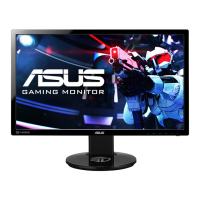
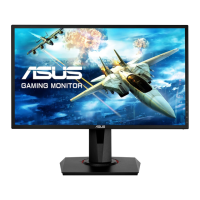
Do you have a question about the Asus VG245H and is the answer not in the manual?
Statement regarding Federal Communications Commission compliance for digital devices.
Statement regarding Canadian Department of Communications compliance and interference regulations.
Essential precautions for safe monitor operation and handling.
Instructions for cleaning the monitor surface and proper lifting techniques.
Description of expected monitor visual behaviors like flickering or afterimages.
Explanation of symbols (WARNING, CAUTION, IMPORTANT, NOTE) used within the user guide.
Sources for additional product and software update information.
Details about ASUS recycling and takeback programs for environmental protection.
An introductory message for the ASUS LCD monitor user.
List of all items included in the monitor package.
Description of the monitor's front panel buttons and indicators.
Description of the monitor's rear ports and connectors.
Explanation of the GamePlus gaming enhancement features and settings.
Explanation of the GameVisual picture modes for optimal viewing experience.
Step-by-step guide to assemble the monitor base and arm.
Instructions for adjusting tilt, swivel, height, and pivoting the monitor for optimal viewing.
Procedure for removing the monitor arm for VESA wall mounting compatibility.
Guide on connecting power, VGA, HDMI, and audio cables to the monitor.
How to power on the monitor and check the power indicator light status.
How to navigate and reconfigure the On-Screen Display (OSD) menu.
Explanation of the GameVisual picture modes accessible via the OSD.
How to adjust the blue light filter level for eye comfort and reduced strain.
Options for adjusting brightness, contrast, saturation, and color temperature.
Adjustments for sharpness, aspect control, vividpixel, position, and focus.
Controls for volume, mute, and audio source selection.
How to choose the active input source for the monitor display.
Options for OSD timeout, language, key lock, power indicator, and system resets.
Function to load and save custom monitor settings profiles.
Detailed technical specifications of the ASUS VG245 LCD Monitor.
Solutions for common problems like power issues, screen display errors, and image quality.
Table listing supported resolution and vertical/horizontal frequencies for video modes.

 To Next Page
 General