Telephoning
180
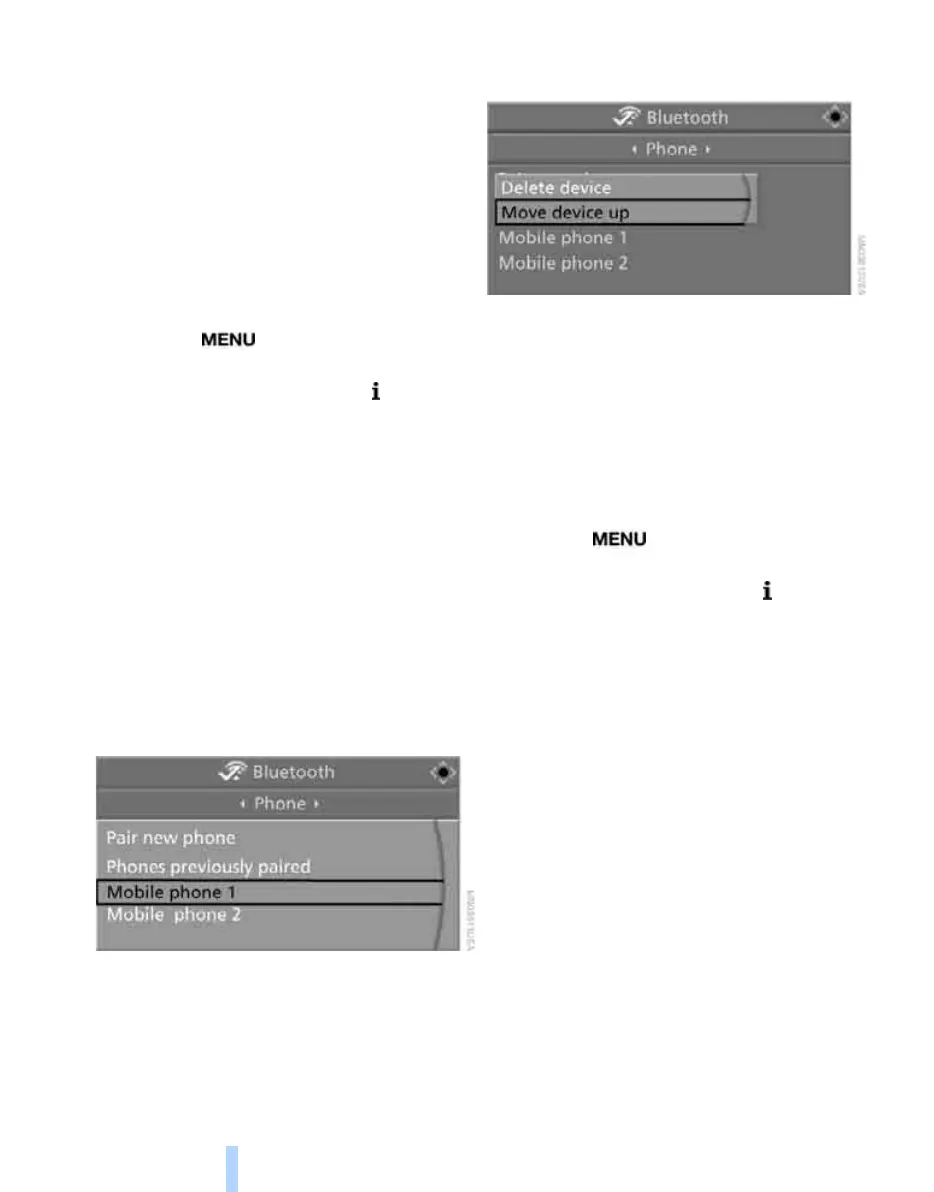
List of paired mobile phones
The mobile phones for which the vehicle has
stored the pairing data can be displayed. If sev-
eral paired mobile phones are detected by the
vehicle simultaneously, you can operate the
mobile phone highest up in the list via the vehi-
cle.
You can change the order of the mobile phones
in the list. As long as a mobile phone is selected
in this list, the mobile phones cannot be oper-
ated via the vehicle.
iDrive, for operating principle refer to page 16.
1. Press the button to open the start
menu.
2. Press the controller to open the menu.
3. Select "Settings" and press the controller.
4. Select "Bluetooth" and press the controller.
5. Change into the second field from the top,
select "Phone" and press the controller.
6. Select the desired mobile phone.
With two drives:
> Move the controller to the rear to change
into the bottom field.
> Select the desired mobile phone and
press the controller.
With a single drive:
> Select the desired mobile phone and
press the controller.
7. Select "Move device up" and press the con-
troller.
The selected mobile phone is moved
upward by one position.
Unpairing mobile phone from vehicle
If you no longer want to operate a mobile phone
via the vehicle, you can delete the pairing data
of the mobile phone.
iDrive, for operating principle refer to page 16.
1. Switch off the mobile phone.
2. Press the button to open the start
menu.
3. Press the controller to open the menu.
4. Select "Settings" and press the controller.
5. Select "Bluetooth" and press the controller.
"Bluetooth" is selected.
6. Change into the second field from the top,
select "Phone" and press the controller.
7. Select the desired mobile phone.
With two drives:
> Move the controller to the rear to change
into the bottom field.
> Select the desired mobile phone and
press the controller.
With a single drive:
> Select the desired mobile phone and
press the controller.
Online Edition for Part no. 01 41 0 014 244 - © 08/07 BMW AG


 To Next Page
 Loading...