 Need help?
Do you have a question about the Casio LK-40 and is the answer not in the manual?
 General
| Brand | Casio |
|---|---|
| Model | LK-40 |
| Category | Electronic Keyboard |
| Language | English |
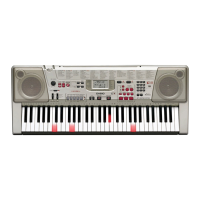
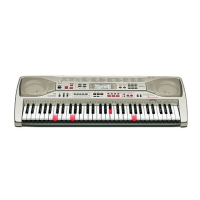
Features 100 amazingly realistic instrument tones.
Offers 100 accompaniment patterns for versatile play.
Includes 100 songs for playback or practice.
A learning system where keys light up to guide playing.
Allows easy changing of the keyboard's key.
Enables connection with other MIDI devices for data exchange.
Explains safety symbols and general cautions.
Precautions for safe use of AC adaptor and power cord.
Instructions for battery installation, removal, and safe handling.
Guidance on avoiding damage from environment and improper placement.
Identifies rear panel ports for power and audio output.
Details buttons, display, and key interface elements on the keyboard.
A brief guide to initial operation and playing songs.
How to connect headphones and external audio equipment.
Guidelines on using only specified accessories for safety.
Loading batteries, important information, and battery life.
Instructions and warnings for using the AC adaptor.
Explains Auto Power Off and Power On Alert functions.
Procedures for turning the keyboard on/off and adjusting volume.
How to select and change instrument tones.
Details on split tones, digital sampling, and polyphony.
Adjusting key and tuning the keyboard to external instruments.
How to play and manage the built-in demo songs.
Guide to choosing and starting rhythm patterns.
Using chord systems (CASIO CHORD, FINGERED) for accompaniment.
Using fill-in rhythm and synchro start for pattern variation.
Introduction to the three-step lesson method for learning songs.
Details on how each lesson step guides the player.
Focus on practicing the left hand part in two-hand tunes.
Introduction to MIDI, its purpose, and connection methods.
Understanding MIDI channels and the General MIDI standard.
Details on note on/off, program change, and control change messages.
Managing internal sound output and GM mapping.
Solutions for common keyboard operational problems.
Technical data including model, dimensions, and power requirements.
List mapping tone numbers to General MIDI sound numbers.
Comprehensive lists of available rhythms and chord fingerings.
Details on how the keyboard sends and receives MIDI data.

 To Next Page