EasyManua.ls Logo

Denon DN-951FA - Page 2

Denon DN-951FA
92 pages
Print Icon
To Next Page IconTo Next Page
To Previous Page IconTo Previous Page
Loading...
nN
IMPORTANT
TO
SAFETY
CAUTION:
°
1.
Handle
the
power
supply
cord
carefully.
WARNING:
Do
not
damage
or
deform
the
power
supply
cord.
If
it
is
TO
PREVENT
FIRE
OR
SHOCK
HAZARD,
DO
NOT
damaged
or
deformed,
it
may
cause
electric
shock
or
maifunc-
EXPOSE
THIS
APPLIANCE
TO
RAIN
OR
MOISTURE.
tion
when
using.
When
disconnecting
it
from
wail
outlet.
be
sure
to
hold
the
piug
attachment.
Do
not
pull
on
the
cord.
2.
Do
not
open
the
top
caver.
in
order
to
prevent
etectric
shock.
do
not
open
the
top
cover.
if
problems
occur,
contact
your
DENON
dealer.
NOTE:
This
CD
player
uses
a
semiconductor
laser.
To
ailow
you
to
enjoy
music
with
stable
operation,
we
recommend
to
use
it
in
a
raom
whose
temperature
is
between
5°C
and
35°C.
3.
Do
not
ptace
anything
inside.
Do
not
piace
metat
objects
or
spill
liquid
inside
the
CD
player,
Please
check
to
make
sure
the
following
items,
aside
from
the
as
this
may
result
in
electric
shocks
or
malfunction.
CD
CART
PLAYER
(1)
Operating
instructions
......
(2)
Cartridge
(ACD-58)
..
=
(3)
3P
power
supply
cord
.
(4)
Spare
fuse
....
Please
record
and
retain
the
modei
name
and
serial
number
of
your
set
shown
on
the
rating
label.
Spe:
Modei
No.
ON-951FA
Serial
No,
TABLE
OF
CONTENTS
OPERATING
INSTRUCTIONS
=a]
mm
|
GENERAL
..
Main
Features
.
DESCRIPTION
OF
THE
FUNCTION
1)
Names
and
Functions
of
the
Parts
~
)
Description
of
the
PLAY/PAUSE,
and
STDBY/CUE
Operations
.
8)
Moving
the
Play
Start
Position
3)
Checking
the
Play
Start
Position
2)
Presettings
...
10)
End
Monitor
.....
aistongestoeeccds
18
3)
Connections
....
Beast
sicath
10,11
11)
Selecting
the
Track
to
be
Played
4)
Housing
Disc
in
and
Removing
Disc
Next
During
Playback
......
19
from
Cartridge
(ACD-5B}
....
5)
Loading
and
Unloading
the
Cartridg:
BASIC
OPERATION
00.0...
cece
eas
12)
Selecting
the
Index
Number
to
be
Played
Next
During
Playback
13}
Ending
Playback
1)
Before
Starting
a
14)
Resetting
the
Microprocessor
..
2}
Selecting
the
Play
Mode
fa]
BAR
CODE
AUTO
TRACK
SELECT
SYSTEM
22
3)
Selecting
Tracks
......-..-..
(&]
CLEANING
THE
OPTICAL
PICKUP
LENS
23
i
4)
Selecting
the
index
Number
14
(6)
COMPACT
DISCS
.....
POS
Eira
ae
eee
et
§)
Starting
Playback
15
{2}
TROUBLESHOOTING
..
6)
Stopping
Playback
[]
GENERAL
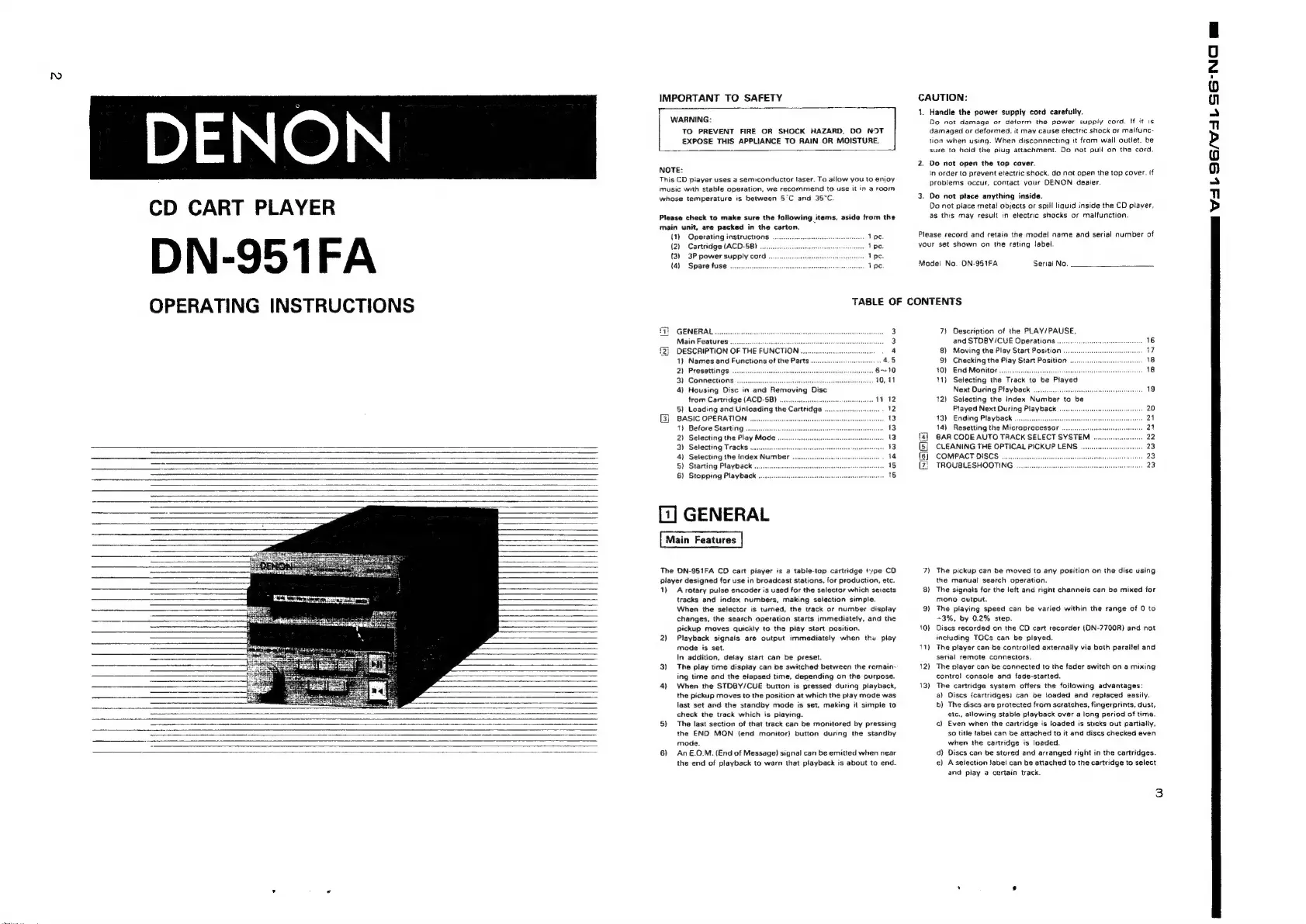
The
DN-951FA
CD
cart
player
is
a
table-top
cartridge
type
CD
player
designed
for
use
in
broadcast
stations,
for
production,
etc.
7)
The
pickup
can
be
moved
to
any
position
on
the
disc
using
the
manual
search
operation.
1)
Arotary
pulse
encoder
is
used
for
the
selector
which
selects
8)
The
signals
for
the
left
and
right
channels
can
be
mixed
for
tracks
and
index
numbers,
making
selection
simple.
mono
output.
When
the
selector
is
turned,
the
track
or
number
display
9)
The
piaying
speed
can
be
varied
within
the
range
of
0
to
changes,
the
search
operation
starts
immediately,
and
the
+3%,
by
0.2%
step.
pickup
moves
quickly
to
the
play
start
position.
10}
Discs
recorded
on
the
CD
cart
recorder
(DN-7700R}
and
not
2)
Playback
signals
are
output
immediately
when
the
play
inctuding
TOCs
can
be
played.
mode
is
set.
11)
The
player
can
be
controlled
externally
via
both
parallel
and
In
addition,
delay
start
can
be
preset.
serial
remote
connectors.
3)
The
play
time
display
can
be
switched
between
the
remain-
12)
The
player
can
be
connected
to
the
fader
switch
on
a
mixing
ing
time
and
the
elapsed
time,
depending
on
the
purpose.
control
console
and
fade-started.
4}
When
the
STDBY/CUE
button
is
pressed
during
piayback,
13)
The
cartridge
system
offers
the
following
advantages:
the
pickup
moves
to
the
position
at
which
the
play
mode
was
a)
Discs
{cartridges}
can
be
ioaded
and
replaced
easily.
last
set
and
the
standby
mode
is
set,
making
it
simple
to
b)
The
discs
are
protected
from
scratches,
fingerprints,
dust,
check
the
track
which
is
piaying.
etc.,
allowing
stable
playback
over
a
long
period
of
time.
_
5)
The
last
section
of
that
track
can
be
monitored
by
pressing
c)
Even
when
the
cartridge
is
loaded
is
sticks
out
partially,
the
END
MON
(end
monitor)
button
during
the
standby
so
title
labei
can
be
attached
to
it
and
discs
checked
even
a
mode.
when
the
cartridge
is
loaded.
6)
An€&.0.M.
(End
of
Message)
signal
can
be
emitted
when
near
d}
Discs
can
be
stored
and
arranged
right
in
the
cartridges.
the
end
of
playback
to
warn
that
playback
is
about
to
end.
e}
A
selection
Jabel
can
be
attached
to
the
cartridge
to
select
and
play
a
certain
track.
3
ee
NZ
1
G/L
SG-NC
ml

Related product manuals