37
Function Setup Function Setup
ENGLISH
ENGLISH
䡵 Ratings
Ratings control allows you to set a limit, which prevents your children from viewing inappropriate
materials. Playback will stop if the ratings exceed the levels you set, and it will require you to enter a
password before the disc will play back.
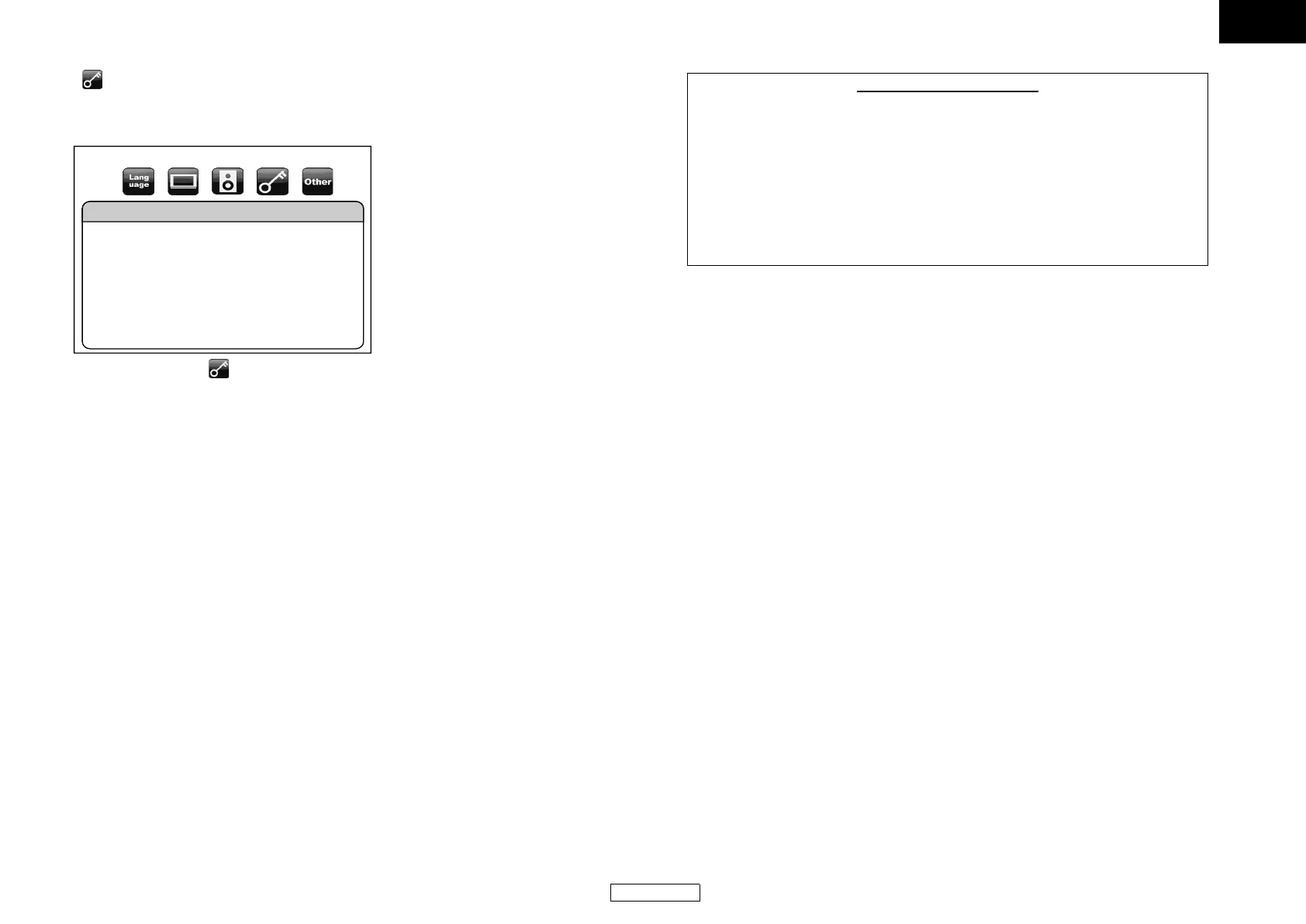
1) Use [Y / Z] to select , then press [ENTER].
2) Press [the Number buttons] to enter your 4-digit password.
For the first time use: Press [the Number buttons] to enter any 4-digit number (except for 4737),
then press [ENTER]. That number will be used as the password from the second time. Record your
password in case you forget it.
• If you forgot the password, enter [4], [7], [3], [7]. The password will be cleared and rating level
will be set to “All”.
• While you input the password, press [CLEAR] to clear the number, then re-enter the password.
Proceed to A – C
A) BD Rating Level
1) Use [U / V] to select “BD Rating Level”, then press [ENTER].
2) Use [U / V] to select your desired option, then press [ENTER].
“All” : To release the limitation.
“Age Setting”: To set the age limitation.
• After selecting “Age Setting”, use [the Number buttons] to enter the age from 0 – 254, then
press [ENTER].
(e.g. for age 15, press [0],[1],[5])
3) Press [SETUP] to exit.
B) DVD Rating Level
1) Use [U / V] to select “DVD Rating Level”, then press [ENTER].
2) Use [U / V] to select a desired level, then press [ENTER].
3) Press [SETUP] to exit.
C) Password Change
1) Use [U / V] to select “Password Change”, then press [ENTER].
2) Enter a new 4-digit password, then press [ENTER].
3) Press [SETUP] to exit.
Ratings
BD Rating Level
DVD Rating Level
Password Change
All
All
RATING EXPLANATIONS
• All : Parental control is inactive; all discs can play back.
•8 [Adult] : DVD software of any grades (adult/general/children) can be played
back.
•7 [NC-17] : No one under 17 admitted.
•6 [R] : Restricted; under 17 requires accompanying parent or adult guardian.
•5 [PGR] : Parental guidance recommended.
•4 [PG13] : Unsuitable for children under 13.
•3 [PG] : Parental guidance suggested.
•2 [G] : General audience.
•1 [Kid Safe] : Suitable for children.
E5J00_02_04ED_V2_EN.book Page 37 Thursday, October 16, 2008 12:00 PM


 To Next Page
 Loading...