– 52 –
Test Circuit Operation
1. Connect temporary jumper leads across relay
contacts, primary interlock and door sensing
switches to simulate shorted switch contacts.
Locate convenient connections in the circuit to
be certain COM and NO terminals are used.
2. Connect ohmmeter (Rx1) across the line
terminals of the appliance cord. Continuity must
show the following:
• Door Closed6RPHű
• Door Openű
3. Remove the 20 amp fuse. The circuit must open
LQ¿QLW\ű,IQRWFKHFNWKHZLULQJRIWKHPRQLWRU
and interlock circuits.
WARNING: After test, remove the temporary jumper
leads from the interlock and relay.
WARNING: Primary interlock, door sensing switch,
monitor switch, and relay board must be replaced
when the 20 amp fuse is blown due to operation of
monitor switch.
NOTE: Perform microwave leakage test when
replacing or adjusting interlock switches or latch
board.
How to Adjust the Interlocks
The latch board is adjustable for proper door closure
and switch operation.
1. Disconnect power and partially remove the oven
from its installation. (See the Removing Upper
Oven section in this guide.)
NOTE: Each latch board is held in place and
adjusted with two Phillips head screws. The screws
are recessed from the top of the outer cover. Access
holes are provided.
2. Loosen the two Phillips head screws that attach
the latch board to the oven chassis.
3. Adjust each latch-board for proper door closure
and switch operation, retighten screws.
NOTE: Perform microwave leakage test when
replacing or adjusting interlock switches or latch
boards.
Door Switch Replacement
1. Place the oven in a partially removed position.
(See the Removing Upper Oven section in this
guide.)
2. Open the oven door.
3. Remove the single Phillips head screw that holds
the door switch access cover to the outer cover.
4. Disconnect the switch wiring.
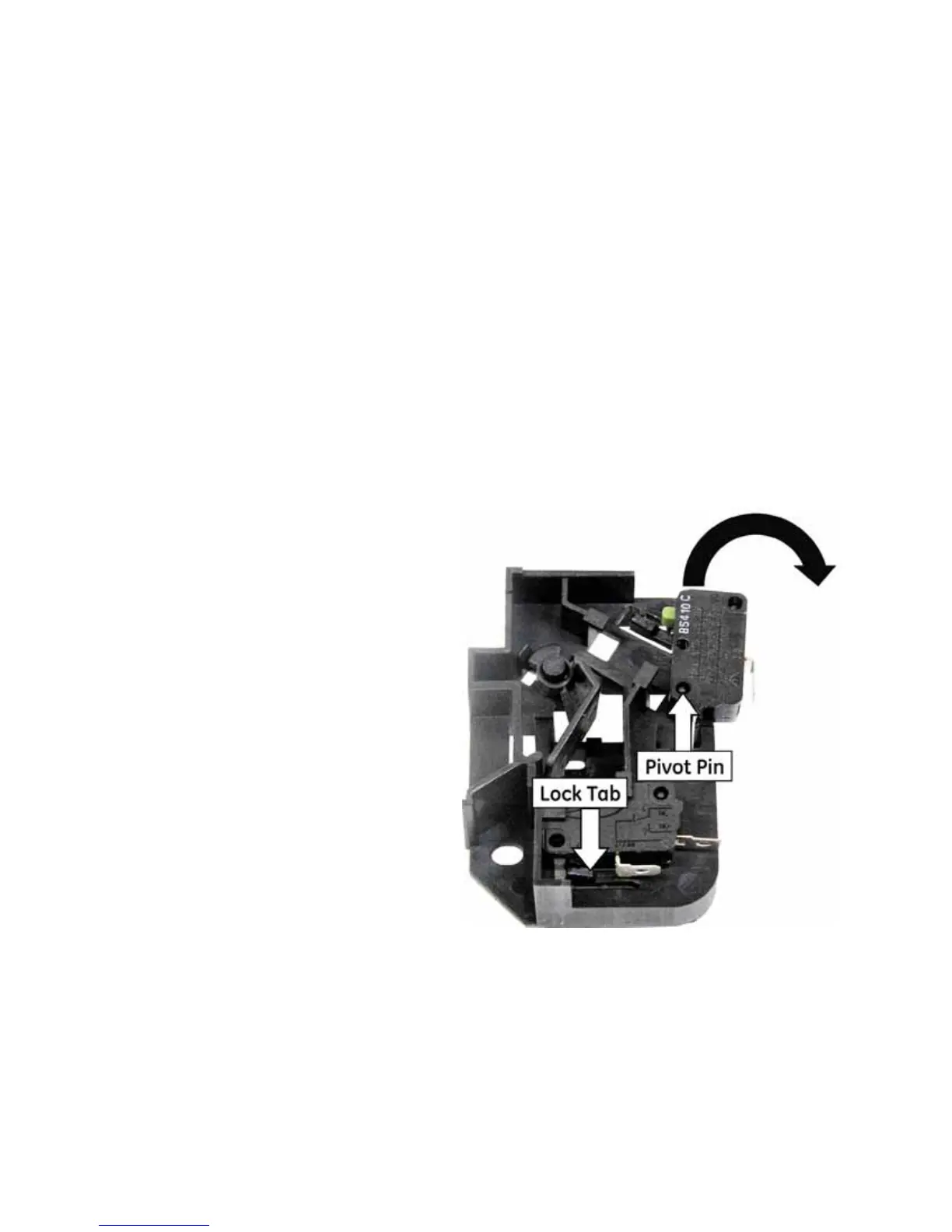
5. 8VLQJDÀDWEODGHVFUHZGULYHUFDUHIXOO\SUHVV
WKHORFNWDEXQWLOLWLVÀXVKZLWKWKHVXUURXQGLQJ
area of the latch board.
6. Using the mounting pin as a pivot, carefully
rotate the switch past the lock tab and remove
the switch from the mounting pin.
Rotate Switch
(Continued next page)


 To Next Page
 Loading...