USB
29English
• [ ] : Repeats the current track/folder. Each
time you touch the key, repeat modes are
switched in the following sequence:
File repeat ( ), Folder repeat ( ), Repeat
all (
)
• [
] : Randomly plays all tracks in the current
folder. Each time you touch the key, random
modes are switched in the following sequence:
File random ( ), Random off ( )
2
Track information
• Displays the information on the current file.
Only a file name and a folder name are
displayed if there is no tag information.
• Touch to display the Category List screen. See
Category search (P.30).
3
Play mode indicator/ Playing time
• D, B, etc.: Current play mode indicator
Meanings of individual icons are as follows:
D (play), B (fast forward), A (fast
backward), H (pause).
• For confirmation of current playing position.
You can drag the circle left or right to change
the playing position. (Video file only)
4
Operation keys
• 1] : Searches track/file. For details on search
operation, see Search Operation (P.30).
• E] [F] : Searches the previous/next track/
file.
Touch and hold to fast forward or fast
backward.
• [DH] : Plays or pauses.
• [
] : Touch to attenuate/restore the sound.
5
Content list
• Touch the right side of the screen to display
the Content list. Touch again to close the list.
• Displays the playing list. When you touch a
track/file name on the list, playback will start.
6
Artwork
• Displays/hides artwork area.
• The jacket of the currently playing file is
displayed.
7
Function panel
Touch the left side of the screen to display the
function panel. Touch again to close the panel.
• [
] [ ] : Searches for the previous/next
folder.
• [USB DEVICE CHANGE]
Switches to another USB device when two USB
devices are connected.
8
Indicator Items
• [VIDEO]: Identifies the video file.
• [MUSIC]: Identifies the music file.
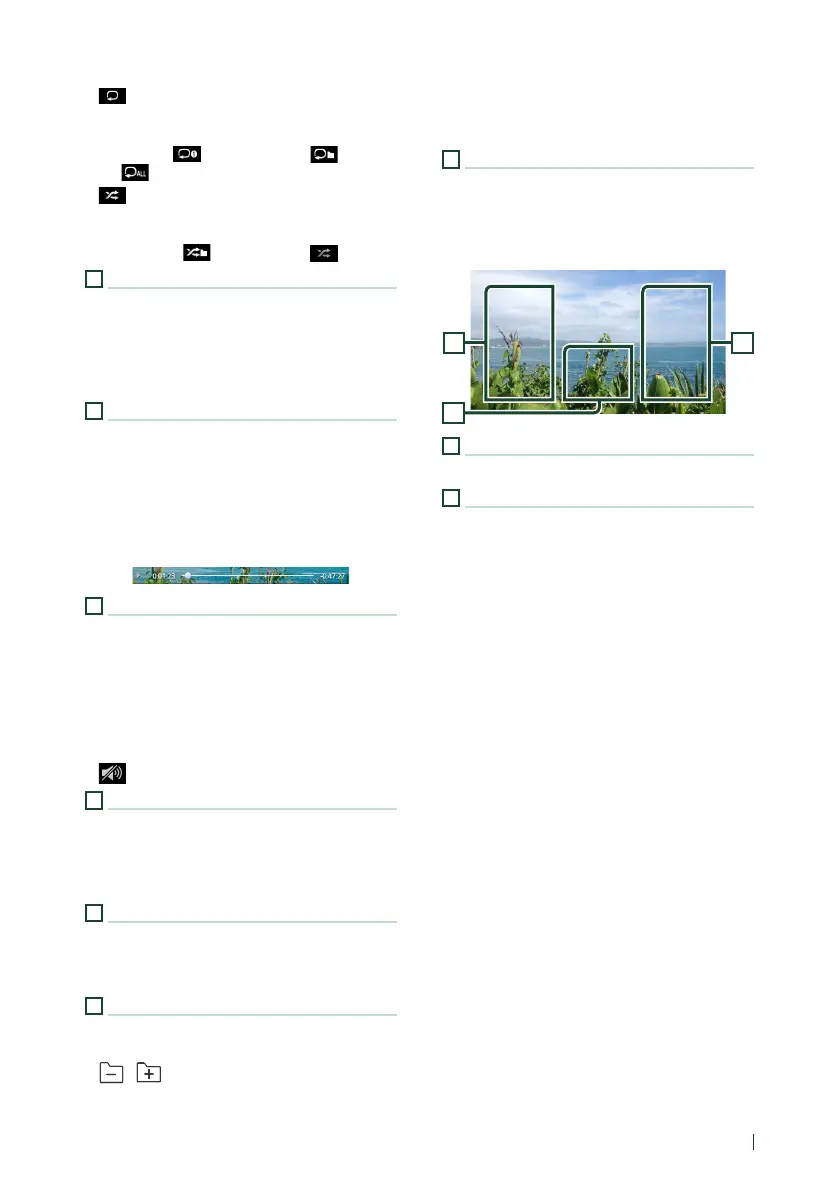
Video screen
10
99
9
File search area (Video file only)
Touch to search for the next/previous file.
10
Key display area (Video file only)
Touch to display the control screen.


 To Next Page
 Loading...