ENGLISH
16
MAKING CONNECTIONS
Connecting to a PC
Your TV supports the Plug & Play* feature and has the built-in speakers with Virtual Surround that
reproduces sound clearly and rich bass.
* Plug & Play: The function when a PC recognizes a connected device and requires no driver to be
installed.
y
It is recommended to use the TV with an HDMI connection for the best image quality.
y
If you do not use an optional external speaker, connect the PC to the TV with the optional audio
cable.
y
If you turn the TV on when the set is cold, the screen may flicker. This is normal.
y
Some red, green, or blue spots may appear on the screen. This is normal.
y
Connect the signal input cable and tighten it by turning the screws clockwise.
y
Do not press the screen with your finger for a long time as this may result in temporary distortion on
the screen.
y
Avoid displaying a fixed image on the screen for a long period of time to prevent image burn. Use a
screensaver if possible.
y
When using the HDMI/DVI cable, only Single link is supported.
y
If you want to use HDMI-PC mode, you must set the input label to PC mode.
y
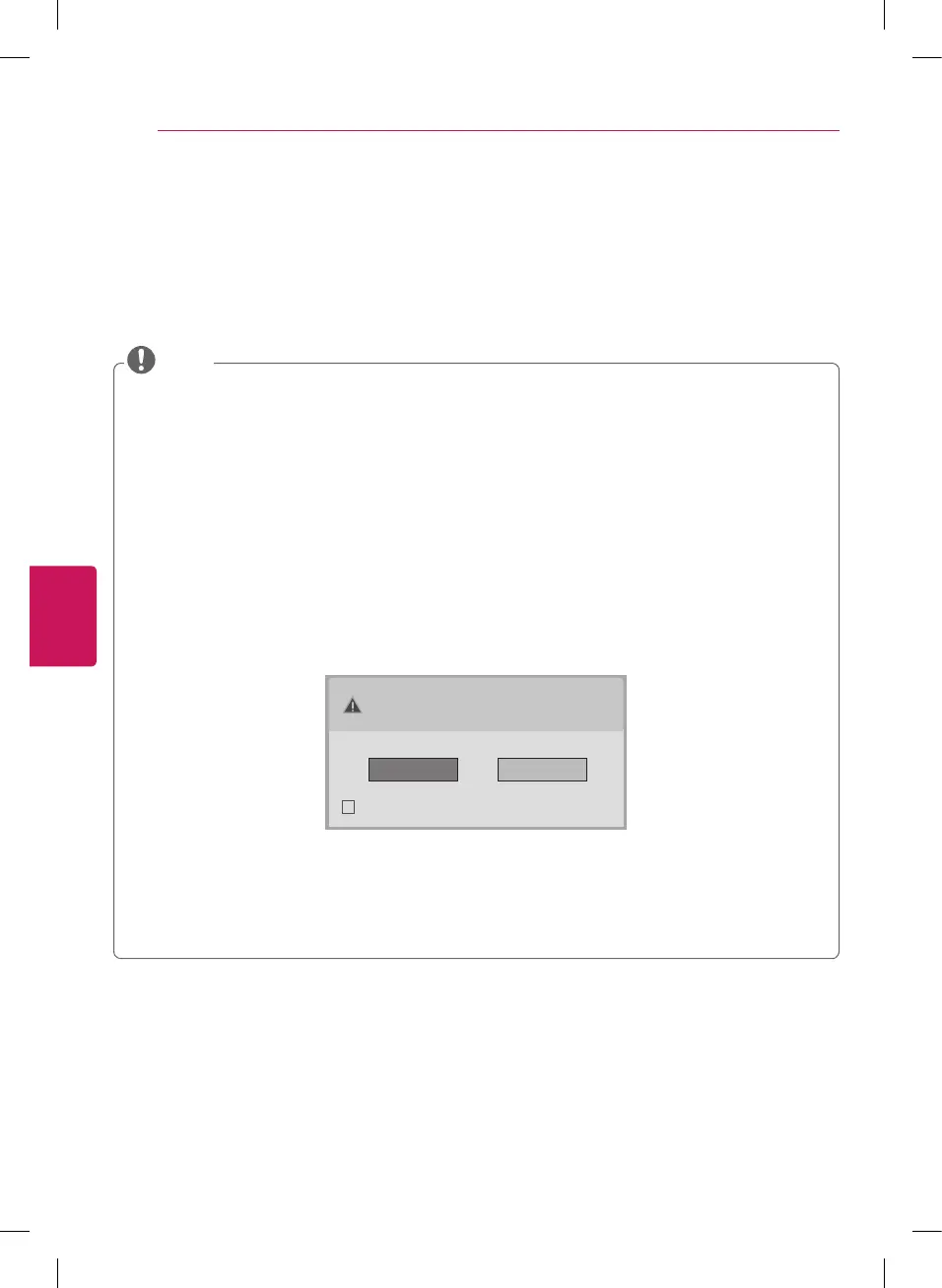
The OSD (On Screen Display) is displayed on the screen as shown below.
»
When turning the product on in HDMI input.
»
When switching to HDMI input.
Is the input connected to your PC?
Do not show message again.
Yes No
y
If you select
Yes
the size and image quality are optimised for your PC.
y
If you select
No
the size and image quality are optimised for the
AV device (DVD player, set-top box,
gaming device).
y
If you select
Do not show message again
this message does not appear until the TV is reset. You
can change the set value in
SETTINGS
→
INPUT
→
Input Label
.
NOTE


 To Next Page
 Loading...