Contents
2
Important Precautions 3
Safety/Installation
Location and function of controls 5
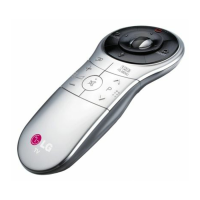
Remote control handset
Front panel
Basic operation
8
On and off / Programme selection
Volume adjustment / Quick view
Mute function / Auto Demonstration
On screen language selection (option)
On screen menus 9
Menu selection
Setting up TV stations 10
Auto programme tuning / Auto programme scan/
Manual programme tuning / Fine Tuning / Assigning a station name /
Booster (Option) Programme edit / Deleting a programme /
Copying programme/Moving a programme/ Skipping a programme number /
Favourite programme/Calling the programme/
Selecting a programme in the programme table/
Paging through programme table
Picture adjustment 15
Picture adjustment / Eye (option) / Picture format
Turbo picture selection (option)
Sound adjustment 17
Sound adjustment / Woofer volume (option) / FM Transmitter (option)
Turbo sound selection (option) / Stereo / Dual reception (option)
NICAM reception (option) / Sound output selection
Timing setting 19
Time setting / On/off time / off time / On time
On programme number / Auto sleep
Other functions 20
On screen language selection (option) / TV and AV modes /
Auto AV switching (option) / Child lock / Blue back / Tilt (option) /
Degaussing (option) / Sleep timer (option) / LG game (option) / LG Reach (option) /
Jumble numbers (option) / Brainvita (option) / Jumble character (option) /
Space fighter (option) / Game Pack (option) / Remote control for game (option)
PIP operation (option) 24
On and off / Input mode selection for sub picture
Swapping between main and sub pictures
Programme selection for sub pictures (option)
Sub picture size / Sub picture freeze
Sub picture position change / 9 or 4 sub picture
Connection of external equipment 25
Aerial socket / Audio / Video in/out sockets (option)
Euro scart socket (option)
S-Video / Audio in sockets S-AV (option)
Component in sockets (option)
Headphone socket (option)
Troubleshooting check list 27


 To Next Page
 Loading...