English 7
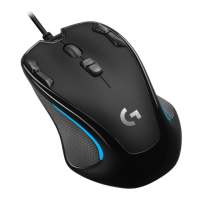
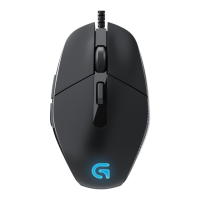
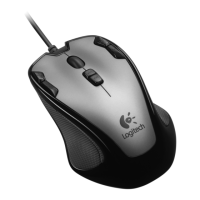
Logitech® Gaming Mouse G300
Features
Profile 1* Profile 2 Profile 3
Profile name MMO (massively multiplayer
online games)
FPS (first-person
shooter games)
Productivity
Profile indicator color
(callout 10)
Red Green Blue
DPI settings 500 DPI, 1000 DPI, 1500 DPI,
2500 DPI
500 DPI, 1000 DPI, 1500 DPI,
2500 DPI
N/A
Default DPI to select when
switching profile
1000 DPI 1000 DPI 1000 DPI
DPI setting using DPI
shift button
N/A 500 DPI N/A
Report rate 500 reports/s 1000 reports/s 500 reports/s
G1 Button 1 (left button) Button 1 (left button) Button 1 (left button)
G2 Button 2 (right button) Button 2 (right button) Button 2 (right button)
G3 Button 3 (middle button) Button 3 (middle button) Button 3 (middle button)
G4 Button 4 (back) Button 4 (back) Button 4 (back)
G5 Button 5 (forward) Button 5 (forward) Button 5 (forward)
G6 Button 6 (CTRL) Button 6 (DPI down) Button 6 (Ctrl-C)
G7 Button 7 (ALT) Button 7 (DPI up) Button 7 (Ctrl-V)
G8 Button 8 (profile switch) Button 8 (profile switch) Button 8 (profile switch)
G9 Button 9 (DPI loop) Button 9 (DPI shift) Button 9 (Ctrl-X)
*The G300 has three preconfigured profiles, one
each for MMO games, FPS games, and Productivity
(standard mouse operations). Use button 8 (see mouse
drawing) to rotate through these stored profiles.
For more information about G300 features and to
learn how to customize your mouse, download a PDF
user’s guide at www.logitech.com/G300.


 To Next Page
 Loading...