
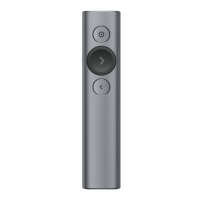
 Need help?
Do you have a question about the Logitech SPOTLIGHT and is the answer not in the manual?
 General
| Brand | Logitech |
|---|---|
| Model | SPOTLIGHT |
| Category | Remote Control |
| Language | English |
Download and install the necessary software for the presentation remote.
Visual guide illustrating the remote's connection and usage steps.
Provides instant feedback on battery and connectivity status.
Highlight, magnify, and control on-screen cursor; toggle pointer modes.
Buttons for navigating forward, backward, and custom functions like volume.
Provides silent timer and battery alerts through vibration.
Features USB-C charging for up to 3 months of battery life on a single charge.
Configure timer, pointer modes, screen blanking, scrolling, and volume.
Learn to use the remote via a tour and receive battery status notifications.
Details operating range, universal compatibility, and dual connectivity options.
Provides three hours of presentation time from a one-minute charge.

 To Next Page