88
Taking Photographs—Exposure
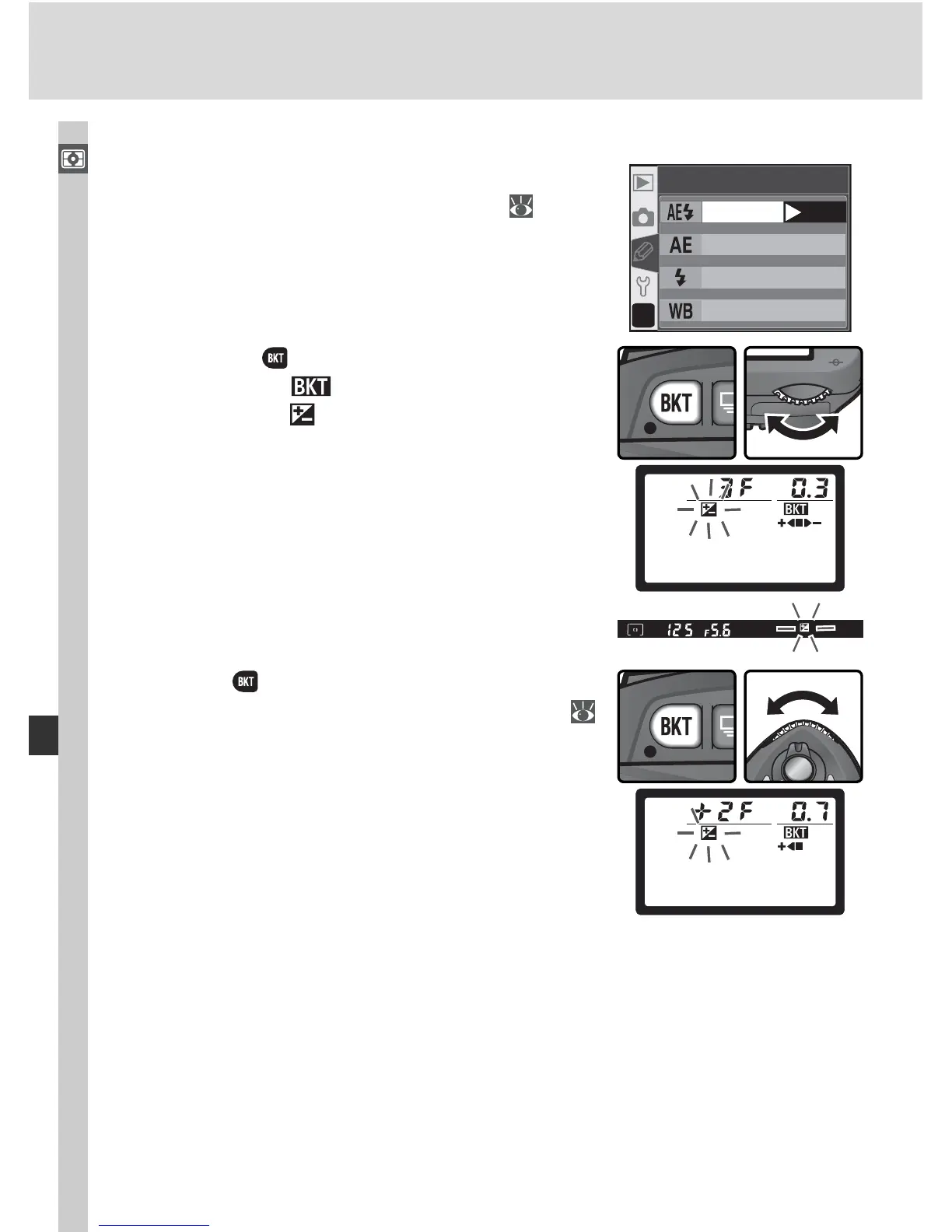
Exposure and Flash Bracketing
1
Se lect the type of brack et ing to be per formed
us ing Cus tom Set ting 12 (BKT set; 146).
Choose AE & fl ash to vary both ex po sure and
fl ash level (the de fault setting), AE only to
vary only exposure, or Flash only to vary only
fl ash level.
?
WB bracketin
g
AE & flash
AE onl
y
Flash onl
y
12
BKT set
OK
2
Press ing the button, rotate the main com-
mand dial until is displayed in the control
panel and the icons in the control panel
and viewfi nder start to blink.
3
Press the button and rotate the sub-com-
mand dial to choose a bracketing program (
90–91).


 To Next Page
 Loading...









