

 Need help?
Do you have a question about the Nokia 108 Dual SIM and is the answer not in the manual?
 General
| Brand | Nokia |
|---|---|
| Model | 108 Dual SIM |
| Category | Cell Phone |
| Language | English |
Switch off the device in restricted areas to avoid interference or danger.
Prioritize road safety while driving and using the phone.
Use only Nokia-approved batteries, chargers, and accessories with the device.
Keep the device dry as it is not water-resistant.
Prevent hearing damage by limiting listening volume and exercising caution.
Information on RF exposure guidelines and maximum SAR values for the device.
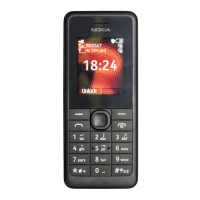
Explore the keys and physical parts of the new phone.
Instructions for inserting the SIM card and battery into the phone.
Guide to navigating and interacting with the phone's applications and features.
Detailed guide on how to initiate and receive phone calls on the device.
Procedure for adding contacts, including names and phone numbers, to the phone's directory.
Guide on operating the camera to capture still photographs.
Instructions for using the phone's camera to record video clips.
Instructions for using the phone to listen to FM radio with a headset.
Guide on setting up the alarm clock function on the phone, including time and multiple alarms.
Procedure for making emergency calls and important considerations.
Recommendations for proper handling, storage, and cleaning of the device.
Critical safety guidelines for using and handling the device's battery and charger.
Safety precautions related to small children, medical devices, and implanted medical devices.
Precautions for using the device in potentially explosive atmospheres.
Details on international guidelines for radio wave exposure and SAR compliance.
Information on approved accessories and where to find them.

 To Next Page