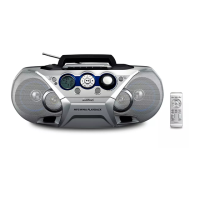
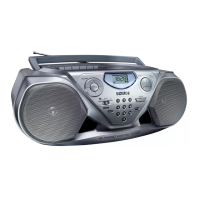
This document is a user manual for the Philips AZ385 CD Soundmachine, a portable audio device designed for versatile music playback.
Function Description
The Philips AZ385 CD Soundmachine serves as a multi-source audio player, allowing users to enjoy music from various formats and sources. Its primary functions include:
- CD Playback: The device supports playback of audio CDs, including CD-Recordables (CD-R), CD-Rewritables (CD-RW), and MP3/WMA-CDs. This allows for a wide range of disc-based music consumption.
- USB Playback: Users can connect USB flash drives or USB flash players to the unit to play audio files. The device is compatible with USB1.1 and supports FAT12, FAT16, and FAT32 file formats. It can play MP3 files with bit rates from 32-320 Kbps and variable bit rate, as well as WMA v9 or earlier files. The device supports a maximum of 8 directory nesting levels, 99 albums/folders, and 999 tracks/titles. File names in Unicode UTF8 with a maximum length of 16 bytes are supported.
- FM Radio: The soundmachine includes an FM tuner, enabling users to listen to their favorite FM radio stations.
- External Audio Input: An Audio-in socket allows for connection to external audio devices, such as MP3 players, expanding the range of playable content.
- Dynamic Bass Boost (DBB): This feature enhances the bass output, enriching the overall sound experience.
Usage Features
The AZ385 is designed for ease of use with several convenient features:
- Power Options: The unit can be powered by either AC power or batteries (6 x R14/UM2/C CELL), offering flexibility for both home and portable use.
- Intuitive Controls: The main unit features clearly labeled buttons and a display panel for easy navigation and control.
- VOLUME: Adjusts the audio output level.
- Skip/Search Buttons: Allows users to skip to the previous or next album (in CD/USB mode) or track, and search within a track.
- Play/Pause Button: Starts or pauses playback.
- Stop Button: Stops playback and can be used to erase a program.
- PROG (Program): In CD or USB mode, this button allows users to program a sequence of up to 20 tracks for customized playback.
- MODE: Selects repeat or shuffle play modes, including repeating the current track, all tracks, the current album (for MP3/WMA), or playing tracks randomly.
- - TUNING +: Tunes to FM radio stations.
- Source Selector: Switches between FM, USB, and CD sources, and turns the unit off.
- DBB switch: Toggles the Dynamic Bass Boost feature on or off.
- Disc Compartment: A "LIFT TO OPEN" mechanism provides easy access to the disc compartment for inserting or removing CDs.
- Standby Mode: The unit automatically switches to standby mode if idle for 15 minutes, conserving power. It can be exited by pressing play or selecting an audio source.
- FM Antenna: An extendable FM antenna helps improve radio reception.
- USB Connectivity: A dedicated USB socket allows for direct connection of USB devices.
Maintenance Features
To ensure the longevity and optimal performance of the Philips AZ385, the manual provides guidelines for maintenance:
- Cabinet Cleaning: The cabinet should be cleaned with a soft cloth slightly moistened with a mild detergent solution. Harsh chemicals like alcohol, spirits, ammonia, or abrasives should be avoided to prevent damage.
- Disc Cleaning: Dirty discs should be cleaned with a cleaning cloth, wiping from the center outwards. Solvents, thinners, commercially available cleaners, or antistatic sprays intended for analogue records should not be used.
- Disc Lens Cleaning: Over time, dirt or dust may accumulate on the disc lens. To maintain good play quality, the disc lens should be cleaned with a Philips CD lens cleaner or any commercially available cleaner, following the cleaner's instructions.
- Battery Care: To prevent battery leakage, which can cause damage or injury, batteries should be installed correctly with the correct polarity. Mixing old and new batteries or different types (carbon and alkaline) should be avoided. Batteries should be removed if the unit is not used for a long time. Batteries should not be exposed to excessive heat, fire, or direct sunlight.
- Disposal Information: The manual emphasizes the importance of proper disposal of the product and batteries, highlighting that they are made of high-quality, recyclable materials. Users are advised to follow local rules for separate collection of electrical and electronic products and batteries to prevent negative environmental and health consequences. Information on recycling centers can be found on www.recycle.philips.com.
- General Safety: The manual includes important safety instructions such as not blocking ventilation openings, avoiding heat sources, protecting the power cord, using only specified attachments, unplugging during lightning storms or long periods of disuse, and referring all servicing to qualified personnel. It also warns against removing the casing or looking into the laser beam.

 Need help?
 General

 To Next Page