Software version check & upgrade
2-1 2-1
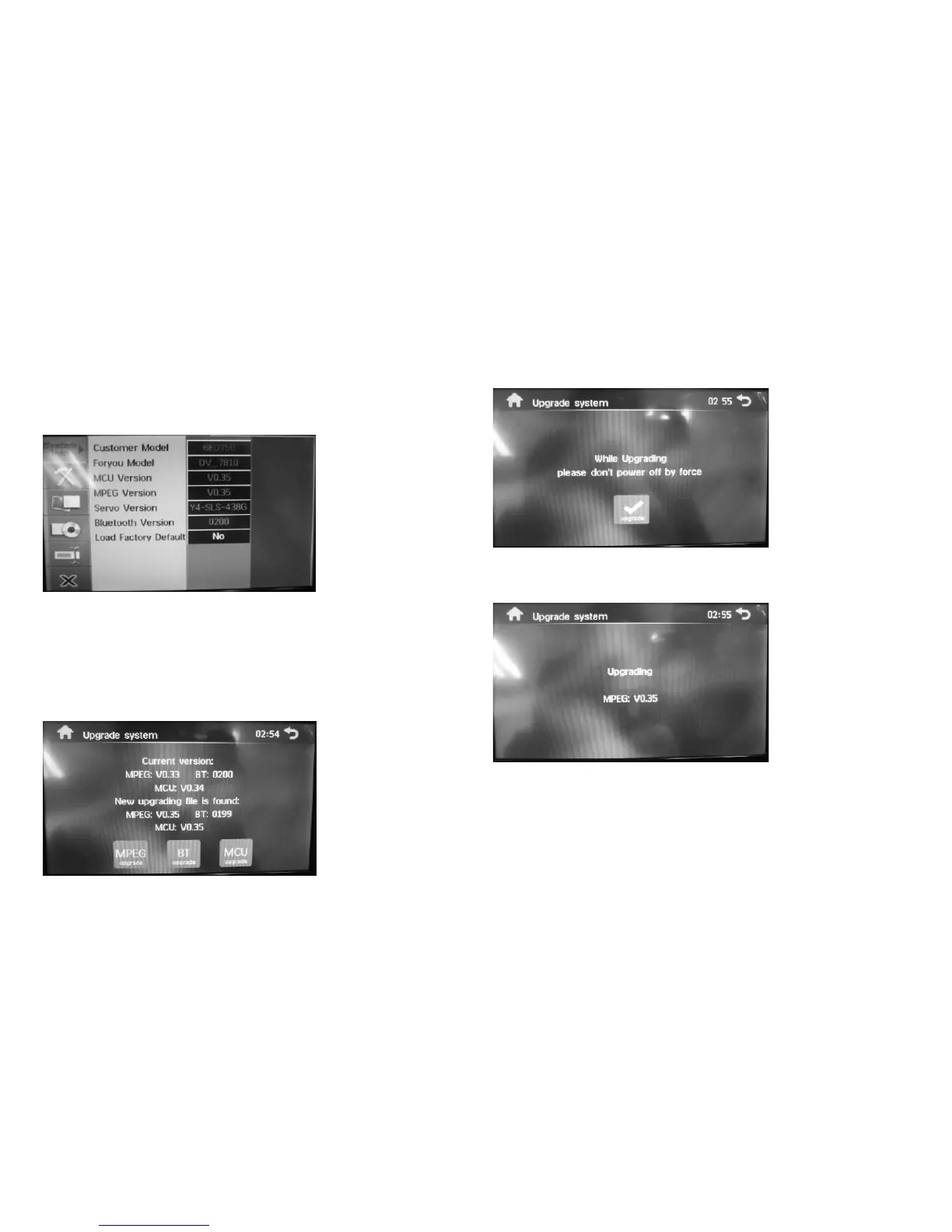
Software version check
Open the Settings menu, and then press the numeric keys ?43210?on the remote control in turn. A
picture contained version information will be displayed.
MPEG upgrade
1. First, copy the upgrade files to SD card or USB storage device. To ensure success, add some
media files larger than 8M such as MP3 to the storage device meanwhile.
Upgrade Files: MPEG.BIN MCU.BIN BT.BIN
2. Insert the storage device contained upgrade files into the player and the player will load the
upgrade files automatically. Following picture will be displayed.
3. Following picture will be displayed after you select the 'MPEG upgrade' option.
4. Touch ' upgrade' to start upgrade process and following picture will be displayed. Meanwhile, Beep
tone can be heard during the upgrade process.
BT upgrade
1. First, copy the upgrade files to SD card or USB storage device. To ensure success, add some
media files larger than 8M such as MP3 to the storage device meanwhile.
Upgrade Files: MPEG.BIN MCU.BIN BT.BIN
2. Insert the storage device contained upgrade files into the
player and the player will load the
upgrade files automatically. Following picture will be displayed.


 To Next Page
 Loading...











