Powering on and Image Setting
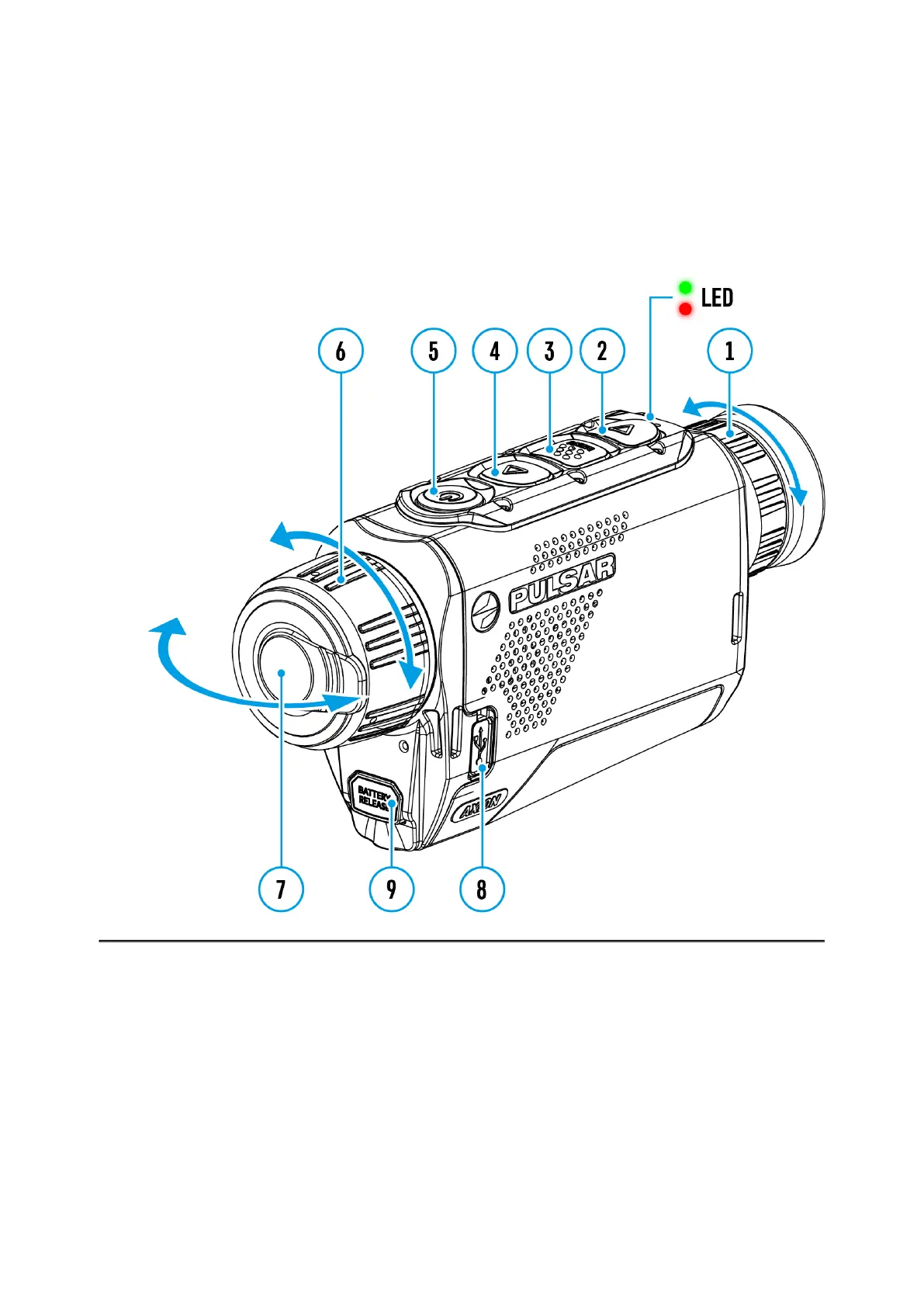
Show device diagram
1.
Remove the lens cover (7). Secure the cover to the strap using the magnet built
into the cover.
2.
Turn the device on with a short press of the ON/OFF (5)
3.
Adjust the resolution of the icons on the display by rotating the diopter
adjustment ring on the eyepiece (1).
4.
To focus on the object under observation, rotate the lens focus ring (6).
5.
Select the desired calibration mode in the main menu: Manual (M), Semi-automatic
(SA) or Automatic (A).



 To Next Page
 Loading...