
 Need help?
Do you have a question about the Samsung Chromebook XE303C12-A01US and is the answer not in the manual?
Chromebooks boot up in under 10 seconds and resume instantly, avoiding software bloat.
Offers up to 7 hours of battery life, allowing learning outside traditional classrooms.
Detailed specifications for the Samsung Chromebook XE303C12 series, including CPU, OS, display, and ports.
Detailed specifications for the Samsung Chromebook 550 XE550C22 series, including CPU, OS, display, and ports.
Detailed specifications for the Samsung Chromebox XE300M22, including CPU, OS, display, and ports.
Lists various connectivity ports available across different Samsung Chrome devices.
Chromebooks boot up in under 10 seconds and resume instantly, avoiding software bloat.
Offers up to 7 hours of battery life, allowing learning outside traditional classrooms.
Detailed specifications for the Samsung Chromebook XE303C12 series, including CPU, OS, display, and ports.
Detailed specifications for the Samsung Chromebook 550 XE550C22 series, including CPU, OS, display, and ports.
Detailed specifications for the Samsung Chromebox XE300M22, including CPU, OS, display, and ports.
Lists various connectivity ports available across different Samsung Chrome devices.
This document describes Samsung Chromebooks and Chromeboxes, a new type of computer designed for education, emphasizing their cloud-built nature and ease of management. These devices are presented as a simple, fast, and easy-to-manage computing solution for students, teachers, and administrators.
Samsung Chromebooks and Chromeboxes are computers that run on Chrome OS, an operating system developed by Google. Chromebooks are designed to look and feel like traditional laptops, offering portability and a familiar form factor. Chromeboxes, on the other hand, are compact desktop computers that require an external monitor and keyboard. Both types of devices are powered by robust processors, ensuring exceptional performance and extended battery life in the case of Chromebooks. The core function of these devices is to provide access to educational apps and web resources, facilitating learning and collaboration in and out of the classroom. They are built with multiple layers of security, integrated cloud storage, and popular Google products, making them ideal for educational environments where data security and accessibility are paramount.
The Samsung Chrome devices are engineered for a seamless user experience, starting with their rapid boot-up time of less than 10 seconds. This quick start-up, combined with instant resume capabilities, ensures that valuable class time is not wasted waiting for devices to power on. Unlike traditional computers, they are designed to avoid the performance degradation often associated with old software, maintaining their speed over time.
A significant usage feature is the integration of leading Google products such as Search, Gmail, and Docs directly into the Chrome OS. This allows students and teachers to immediately engage in learning, creation, and collaboration without the need for additional software installations. The devices are also designed for sharing; multiple users can share a single device while maintaining their personalized experience, with easy access to individual files, apps, and settings upon signing in.
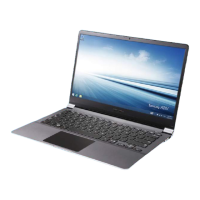
For Chromebooks, portability is a key advantage. They are ultraportable, lightweight (as light as 2.4 pounds), and thin (as thin as 0.7 inches), making them easy for students to carry wherever they go. With up to 7 hours of battery life (for XE303C12 models), students can learn in various locations without being restricted by power outlets. The full-sized chiclet keyboard on Chromebooks is optimized for web computing, featuring a dedicated search key and web-enabled keys to enhance typing and navigation.
The high-definition LED displays on Samsung Chrome devices deliver crisp, sharp text and crystal-clear visuals, enhancing the learning experience. Built-in Wi-Fi connectivity ensures that students can stay connected and continue learning both in school and at home.
The Chrome Web Store offers thousands of educational apps, providing a vast array of resources for learning. Additionally, "App Packs for Education" allow for bulk discounts on select web apps bundled by grade level, enabling access to tools for video projects, geometric theorems, and more. The integration with YouTube for Schools, YouTube EDU, and Netflix provides access to an endless selection of educational videos, literary films, and classic songs, enriching classroom content.
Samsung Chrome devices are designed to minimize maintenance efforts and costs, contributing to a significantly lower total cost of ownership compared to traditional computers. There is no need to purchase software licenses, servers, security solutions, or extensive maintenance plans, which can reduce the total cost of ownership by up to 70%.
A crucial maintenance feature is automatic updates. Samsung Chrome devices update themselves automatically and for free, ensuring that users always have the latest software and security updates without manual intervention or additional purchases. This eliminates the hassle of managing software upgrades.
Security is built-in, providing peace of mind. Samsung Chrome devices are inherently safe from viruses and malware, removing the need to buy and install separate security software. This reduces the burden on IT support and prevents wasted class time dealing with technical issues.
Data management is simplified with Google Drive, an online file storage service. This means students and teachers can save and access their work safely online, eliminating the need for manual file backups and reducing the risk of data loss.
For IT administrators, a web-based management console is available as an additional software purchase from Google. This console allows for easy deployment and central management of Chrome devices and users. With just a few clicks, administrators can create user groups, pre-install and block apps, track assets, manage user access, control network access, and customize user features, streamlining device management across an entire educational institution. This centralized control significantly reduces the administrative overhead associated with maintaining a fleet of computers.
Overall, Samsung Chrome devices are presented as reliable, durable, and easy-to-manage tools that foster a greater enthusiasm for learning by simplifying technology and maximizing instructional time.
 General
| Brand | Samsung |
|---|---|
| Model | XE303C12-A01US |
| Category | Laptop |
| Operating System | Chrome OS |
| RAM | 2 GB |
| Storage | 16 GB SSD |
| Battery | Up to 6.5 hours |
| Wireless | Wi-Fi 802.11 a/b/g/n, Bluetooth 3.0 |
| Color | Silver |
| Processor | Samsung Exynos 5 Dual |
| Display | 11.6 inches |
| Weight | 2.43 lbs |
| Dimensions | 11.4 x 8.09 x 0.69 inches |
| Ports | USB 3.0, HDMI, Headphone/Microphone combo |









 To Next Page