38
GB
Table of
contents
Sample photo Menu Index
• When [Partial Color] is selected, images may not retain the selected color, depending on the subject.
• The available picture effects are limited with [Photo Creativity]. Also, fine adjustment is not available.
You can use more picture effects and make fine adjustment with OPTION. Select MENU t [Brightness/
Color] t [Picture Effect] (page 94).
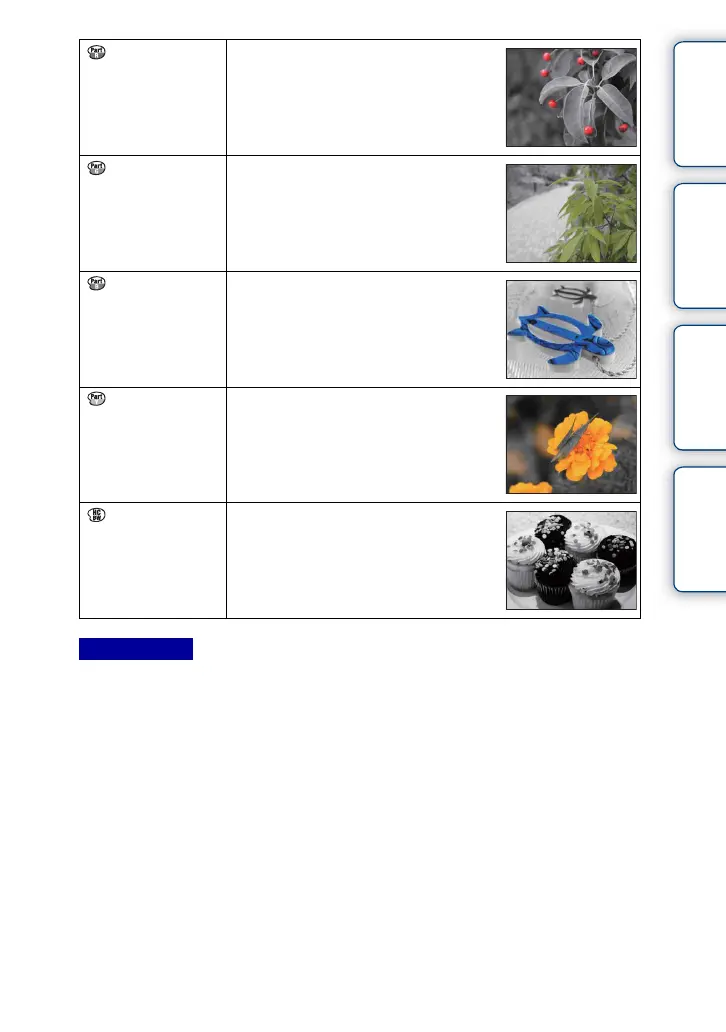
(Partial Color:
Red)
Creates an image which retains the color
red, but converts others to black and white.
(Partial Color:
Green)
Creates an image which retains the color
green, but converts others to black and
white.
(Partial Color:
Blue)
Creates an image which retains the color
blue, but converts others to black and white.
(Partial Color:
Yellow)
Creates an image which retains the color
yellow, but converts others to black and
white.
(High Contrast
Mono.)
Creates an image with high contrast in
black and white.
Notes


 To Next Page
 Loading...









