Get the machine ready
1
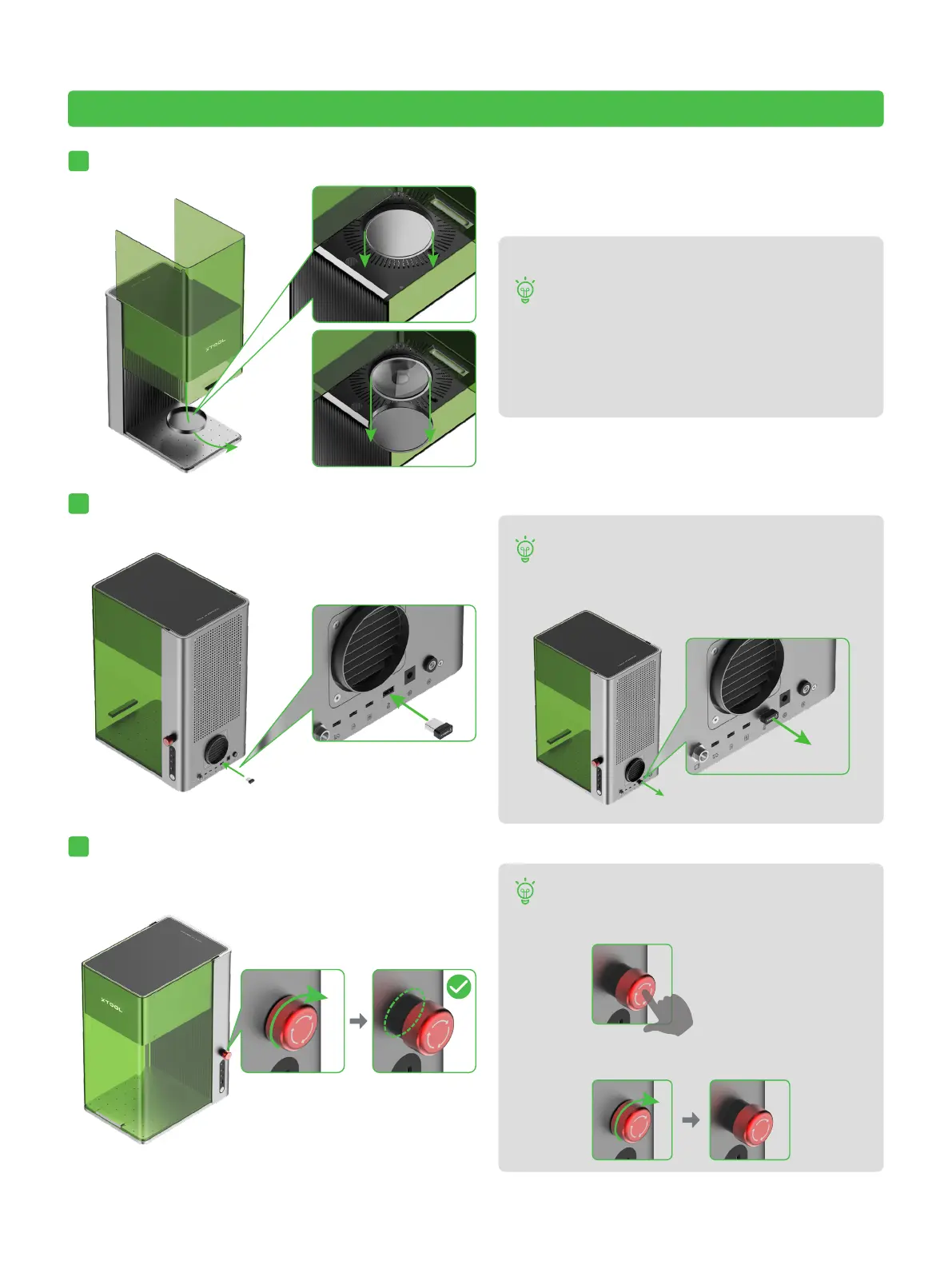
Pull down the field lens protector to remove it.
2
Insert the key.
3
Ensure that the emergency stop switch is released. If it is pressed, rotate to release it.
If you won't use the machine for a long period
of time, you can install the protector back to
prevent the field lens from getting dusty.
Ensure that the protector is removed every
time before you use the machine.
Emergency stop
If an emergency occurs, you can press the
emergency stop switch to shut off the machine.
After dealing with the emergency, you can turn
the emergency stop switch to reset it.
Operation access control
You can remove the key to disable the processing
and related functions of the machine.
5



 To Next Page
 Loading...