EasyManua.ls Logo

ABB ACH580-01 VxR R1 - User Manual

ABB ACH580-01 VxR R1
7 pages
To Next Page IconTo Next Page
Loading...
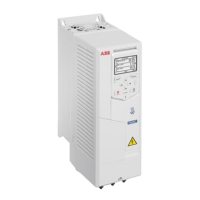
ACH580-01 VxR, UL Type 1
Frame R1/R2
Base drive replacement instructions
Purpose or Scope
The following are the instructions for replacing an ACH580-01 UL Type 1 and 12 (Frames
R1 & R2) drive in VxR enclosures.
Equipment required*:
Replacement drive (see note below)
T20 bit
T30 bit
PZ2 bit
PZ3 bit
Torque wrench
Zip ties
Basic overview of steps
Back-up drive parameters (if you can)
Remove power and verify after 5 minutes
Remove covers
Disconnect all wiring
Remove drive
Prepare replacement drive
Remove conduit assembly
Install in reverse order
Check connections
Power drive
Reprogram and test
Notes and cautions
CAUTION! Review complete safety and electrical considerations prior
to replacing the drive. See ACH580 IOM (3AXD50000049127).
CAUTION! Two people are recommended for this job. The drive is
heavy and can fall, causing property damage and injury.
* Not all of these tools are needed for each frame size.
Question and Answer IconNeed help?

Do you have a question about the ABB ACH580-01 VxR R1 and is the answer not in the manual?

ABB ACH580-01 VxR R1 Specifications

General IconGeneral
BrandABB
ModelACH580-01 VxR R1
CategoryEnclosure
LanguageEnglish

Summary

Drive Replacement Overview and Preparation

Purpose or Scope of Replacement

Defines the scope of the ACH580-01 VxR drive replacement instructions for specific frames.

Required Equipment for Installation

Lists all necessary tools and replacement parts for the drive installation.

Basic Steps for Drive Replacement

Provides a high-level summary of the key stages in the drive replacement process.

Important Notes and Cautions

Contains critical safety warnings and important considerations for the replacement procedure.

Drive Removal Procedure

Power Disconnection and Discharge

Instructions on how to turn off source power and wait for DC bus capacitors to discharge.

Enclosure Cover Removal

Steps to loosen and remove screws securing the enclosure cover.

Drive Cover Detachment

Guidance on removing the drive cover by pushing it upwards.

Disconnecting Control Wiring

Procedure for disconnecting RS485 cable and other control wiring.

Removing Power and Motor Wires

Steps to disconnect input, motor, and ground wires using specific bits.

Loosening Drive Mounting Screws

Instructions for loosening bottom and top screws securing the drive.

Lifting Drive from Channel

Guidance on carefully lifting the drive out of its mounting channel.

Drive Installation Procedure

Conduit Assembly Removal

Steps to loosen and remove screws for the conduit assembly.

Installing the Replacement Drive

Guidance on sliding the drive into place and securing it with mounting screws.

Torquing Mounting Screws

Specifies torque values for the drive mounting screws.

Securing Ground Wire

Instructions for securely attaching the ground wire to the drive.

Connecting Input and Motor Wires

Detailed steps for connecting input and motor wires with specified torque.

Reconnecting Control Wiring

Procedure to reconnect the RS485 terminal block and other control wiring.

Replacing Drive Cover

Instructions for placing the drive cover and securing it with screws.

Finalizing and Verification

Powering and Reprogramming Drive

Steps for powering up the drive and reprogramming its parameters.

Verifying Operation and Motor Direction

Instructions to test and confirm correct drive and motor operation.

Saving Parameters to Keypad

Guidance on backing up and saving drive parameters before returning to service.

Related product manuals