EasyManua.ls Logo

Aprilaire 8120X - User Manual

Aprilaire 8120X
11 pages
Print Icon
To Next Page IconTo Next Page
Loading...
MIN/
HR
CODE
Model 8120X
Digital Ventilation Controller
Installation and
Operation Manual
Question and Answer IconNeed help?

Do you have a question about the Aprilaire 8120X and is the answer not in the manual?

Summary

Warnings and Cautions

WARNING

120 volts can cause serious injury from electric shock. Disconnect electrical power to the HVAC system before proceeding.

NOTICE

Ensure furnace blower runs long enough after heat call to prevent over-temperature.

Package Contents

Specifications

Mounting the Controller and Outdoor Temperature Sensor

Mounting to an 8140 NC Ventilator

Mount the control to the return duct and the outdoor sensor as shown on pages 6-9 if humidity limits are important.

Mounting the Controller in a Closet Return Plenum

Mounting the Outdoor Temperature Sensor

Wiring

Wiring to Furnace

Connect the control to the HVAC equipment according to Figure 1.

Wiring to Heat Pump

Connect the control to the HVAC equipment according to Figure 2.

Wiring to Model 8140 NC Fresh Air Ventilator

Connect the control to the 8140NC ventilator according to Figure 3.

Wiring to Model 6506 Damper

Connect the control to the Model 6506 damper according to Figure 4.

Operation

Set Up Menu

Test Mode

Test Sequence

Verify all ventilation system components and wiring function correctly.

Rater;Inspector Verification

Sequence of Operation - Code Setting

Sequence of Operation - Comfort Setting

Limited Warranty

Warranty Registration

Register your Aprilaire product online or by mail to activate warranty.

Summary

Warnings and Cautions

WARNING

120 volts can cause serious injury from electric shock. Disconnect electrical power to the HVAC system before proceeding.

NOTICE

Ensure furnace blower runs long enough after heat call to prevent over-temperature.

Package Contents

Specifications

Mounting the Controller and Outdoor Temperature Sensor

Mounting to an 8140 NC Ventilator

Mount the control to the return duct and the outdoor sensor as shown on pages 6-9 if humidity limits are important.

Mounting the Controller in a Closet Return Plenum

Mounting the Outdoor Temperature Sensor

Wiring

Wiring to Furnace

Connect the control to the HVAC equipment according to Figure 1.

Wiring to Heat Pump

Connect the control to the HVAC equipment according to Figure 2.

Wiring to Model 8140 NC Fresh Air Ventilator

Connect the control to the 8140NC ventilator according to Figure 3.

Wiring to Model 6506 Damper

Connect the control to the Model 6506 damper according to Figure 4.

Operation

Set Up Menu

Test Mode

Test Sequence

Verify all ventilation system components and wiring function correctly.

Rater;Inspector Verification

Sequence of Operation - Code Setting

Sequence of Operation - Comfort Setting

Limited Warranty

Warranty Registration

Register your Aprilaire product online or by mail to activate warranty.

Overview

The Aprilaire Model 8120X Digital Ventilation Controller is a sophisticated device designed to manage and optimize fresh air ventilation in residential HVAC systems. Its primary function is to ensure a healthy indoor environment by providing controlled introduction of outdoor air, while also considering factors like temperature and humidity to maintain comfort and energy efficiency.

Function Description

The controller operates by integrating with the home's existing HVAC system, specifically controlling a fresh air ventilator or a damper. It continuously monitors indoor and outdoor conditions, making intelligent decisions about when and how much fresh air to bring into the home. This digital controller aims to meet ASHRAE 62.2-2010 ventilation standards, which specify minimum ventilation rates for residential buildings to dilute indoor pollutants and maintain air quality.

The core of its operation revolves around a user-defined ventilation schedule, which can be set in minutes per hour. The controller can operate in two main modes: "Code" and "Comfort."

In "Code" mode, the controller prioritizes meeting the ASHRAE 62.2-2010 ventilation requirements. It will turn on ventilation during heating, cooling, or fan calls for a set number of minutes within a one-hour cycle. If the outdoor temperature exceeds a high temperature ventilation limit or falls below a low temperature ventilation limit, ventilation will be restricted or adjusted. For instance, if the outdoor air is too hot or too cold, the controller might only ventilate during a heat call (if too cold) or restrict ventilation during a cool or fan call (if too hot). If the HVAC equipment doesn't run long enough to meet the required ventilation time within an hour, the controller will activate ventilation independently, provided outdoor air temperatures are within the set limits. It can also engage the HVAC system blower if wired and configured to do so. If outdoor temperature limits are continuously exceeded, the controller intelligently adjusts its cycle period from one hour to four, then eight, twelve, and finally twenty-four hours, increasing the total ventilation time to compensate for reduced effectiveness during limited operation. This ensures that the cumulative ventilation requirements are met even under challenging outdoor conditions.

In "Comfort" mode, the controller adds indoor relative humidity (RH) limits to its ventilation logic. This means that in addition to outdoor temperature limits, ventilation will only occur if the indoor RH is within a user-defined high and low limit. If the indoor RH exceeds the high limit or drops below the low limit, ventilation will be suspended to prevent discomfort or potential issues like excessive dryness or condensation. Unlike "Code" mode, any ventilation missed due to these humidity limits is not made up, as the primary goal is to maintain indoor comfort.

The controller's decision-making process is influenced by several user-configurable settings, including the number of bedrooms, square footage of the house, and the measured outdoor airflow delivered by the ventilation system. These parameters are used to calculate the "Required Continuous CFM" (Cubic Feet per Minute), which is then used to determine the appropriate ventilation time in minutes per hour.

Usage Features

The Aprilaire 8120X offers a user-friendly interface with a digital display and intuitive buttons for setup and operation.

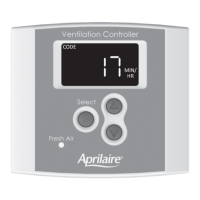
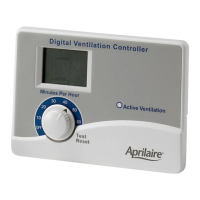
  • Display: The display typically shows the ventilation time setting (minutes/hr), the current mode of operation ("Code" or "Comfort"), and an indicator if the HVAC fan is currently running for ventilation. The display is normally faint to conserve energy but illuminates fully with the first press of any button.
  • Navigation and Selection: The "Select" button is central to navigating through the setup menu and confirming values. Up and down arrow buttons allow users to adjust numerical settings.
  • Ventilation Time Override: Users can manually override the calculated ventilation time setting, ranging from 6 to 60 minutes per hour. Pressing and holding the down arrow button can turn ventilation OFF. To revert to the calculated setting, the user must go through the complete Set Up Menu.
  • Set Up Menu: This menu is where the core parameters for ventilation are configured.
    • HVAC System Type: Users specify if the controller is wired to a heat pump ("HP") or a furnace and AC ("HC").
    • Home Characteristics: Input for the number of bedrooms (1-10) and square footage (500-7500 ft²) helps the controller calculate the required continuous ventilation rate.
    • Measured Outdoor Airflow: The actual CFM delivered by the installed ventilation system (30-250 CFM) must be measured and entered. This is crucial for accurate ventilation time calculations.
    • Temperature Limits: Users can set high and low outdoor temperature limits (e.g., OFF, 85°F-105°F for high; OFF, -10°F-40°F for low). Ventilation is limited when the outdoor temperature falls outside these ranges, preventing the introduction of excessively hot or cold air.
    • HVAC Fan Operation:
      • "On": The HVAC fan turns on whenever ventilation occurs.
      • "bLnd" (blend): The HVAC fan turns on with ventilation only when the outdoor temperature is outside a set range. This feature, when enabled, allows the HVAC fan to mix (blend) outdoor air with indoor air for tempering, making the incoming air more comfortable. A specific temperature setting (OFF, 60°F to 5°F less than Vent. High Temp. Limit) can be configured for this blending function.
      • "OFF": The HVAC fan is not turned on with ventilation.
    • Operating Mode: Selection between "code" (ASHRAE 62.2-2010 compliance) and "cFrt" (comfort with indoor RH limits).
    • Indoor RH Limits (Comfort Mode Only): If "cFrt" mode is selected, users can set high (OFF, 45%-70% RH) and low (OFF, 10%-30% RH) indoor relative humidity limits. Ventilation will not occur if the indoor RH is outside these settings.
  • Test Mode: After installation and setup, a "Test Mode" can be accessed by pressing and holding the "Select" button for 5 seconds. This mode allows for verification of all components and wiring.
    • It displays the outdoor temperature measured by the sensor.
    • It shows "tESt" on the display, illuminates the green "Fresh Air" LED, and activates the damper or power ventilator.
    • After 15 seconds, the HVAC fan turns on (if wired and set up) and the display shows "FAN" along with "tESt."
    • After 45 seconds, Test Mode automatically completes, and the display returns to normal operation.
  • Rater/Inspector Verification: This feature allows for quick verification of the calculated "Required Continuous CFM" and the "Measured CFM" against expected values. If discrepancies exist, the Set Up Menu must be re-entered to adjust the floor area, number of bedrooms, or measured CFM.

Maintenance Features

The manual does not explicitly detail ongoing maintenance features for the controller itself, as it is primarily an electronic control device. However, its design and operation implicitly contribute to the maintenance of the overall ventilation system and indoor air quality:

  • Digital Control and Automation: By automating ventilation based on real-time conditions, the controller helps prevent issues that could arise from manual, inconsistent ventilation, such as excessive humidity leading to mold or insufficient fresh air leading to stale indoor environments.
  • Error Reporting (Implicit): While not explicitly stated as a "maintenance feature," the controller's display of "---- °F" if no outdoor temperature sensor is installed, or its intelligent adjustment of cycle periods in "Code" mode when limits are continuously exceeded, provides feedback that can alert users or technicians to potential issues or suboptimal operating conditions that might require attention or system adjustments.
  • Durability and Warranty: The device comes with a five-year warranty, indicating a design for long-term reliability and reducing the need for frequent maintenance or replacement within this period.

In summary, the Aprilaire Model 8120X Digital Ventilation Controller is a comprehensive solution for managing residential fresh air ventilation, offering intelligent control, user-friendly setup, and robust operational modes to ensure both healthy indoor air quality and comfort while optimizing energy use.

Aprilaire 8120X Specifications

General IconGeneral
Model8120X
CategoryController
Power Supply24 VAC
InstallationWall-mounted
Outdoor Temperature SensorOptional
DisplayDigital
CompatibilityAprilaire Humidifiers
Dimensions4.5" x 1.25"

Related product manuals