EasyManua.ls Logo

ASROCK A780GMH/128M - User Manual

ASROCK A780GMH/128M
17 pages
Print Icon
To Next Page IconTo Next Page
Loading...
1
AMD RAID Installation Guide
1. AMD BIOS RAID Installation Guide …………………………………………………………………….. 2
1.1 Introduction to RAID ……………………………………………………………………………….. 2
1.2 RAID Configurations Precautions ………………………………………………………………… 3
1.3 Installing Windows XP / XP 64-bit / Vista / Vista 64-bit With RAID Funtions ………………… 3
1.3.1 Installing Windows XP / XP 64-bit With RAID Funtions …………………………………. 3
1.3.2 Installing Windows Vista / Vista 64-bit With RAID Funtions …………………………….. 4
1.4 Create Disk Array ………………………………………………………………………………….. 5
2. AMD Windows RAID Installation Guide ……………………………………………………………… 10
2.1 Components of RAIDXpert Installation Software ……………………………………………. 10
2.2 Browser Support ………………………………………………………………………………… 10
2.3 Installing RAIDXpert ……………………………………………………………………………. 10
2.4 Logging into RAIDXpert ………………………………………………………………………… 13
2.5 Regular Connection……………………………………………………………………………... 13
2.6 Secure Connection………………………………………………………………………………. 13
2.7 Creating a New Logical Drive ………………………………………………………………….. 14
2.8 Connecting to RAIDXpert from the Internet ………………………………………………….. 17
2.9 Running RAIDXpert without Network Connection …………………………………………… 17
Question and Answer IconNeed help?

Do you have a question about the ASROCK A780GMH/128M and is the answer not in the manual?

Overview

This manual describes the installation and configuration of AMD RAID functions, covering both BIOS-level setup and Windows-based management using RAIDXpert software. It provides detailed instructions for setting up various RAID levels, installing operating systems on RAID arrays, and managing the RAID configuration.

Function Description:

The AMD RAID Installation Guide serves as a comprehensive resource for users to implement and manage RAID (Redundant Array of Independent Disks) functionalities on systems equipped with AMD chipsets, specifically the AMD SB710 controller. RAID combines multiple physical hard disk drives into one or more logical units, offering benefits such as improved performance, data redundancy, or increased storage capacity.

The guide is divided into two main sections:

  1. AMD BIOS RAID Installation Guide: This section focuses on configuring RAID functions within the BIOS environment using the onboard FastBuild BIOS utility. It details the process of entering the BIOS setup, setting the SATA Operation Mode to RAID, and then using the FastBuild utility to define and manage disk arrays.
  2. AMD Windows RAID Installation Guide: This section covers the installation and management of RAID functions using the RAIDXpert software within a Windows operating system environment. RAIDXpert is a browser-based GUI that provides local and remote management and monitoring capabilities for AMD SB710 SATA logical drives across a network.

Important Technical Specifications and RAID Levels:

The manual outlines several RAID levels supported by the AMD SB710 controller, each with distinct characteristics:

  • RAID 0 (Data Striping): Optimizes two or more identical hard disk drives for parallel data reading and writing. This significantly improves data access and storage performance by doubling the data transfer rate compared to a single disk.
    • Specification: Requires two or more drives.
    • Feature: Enhanced performance.
    • Caution: Does not provide fault tolerance; data damage or loss can occur if any drive fails or is hot-plugged.
  • RAID 1 (Data Mirroring): Copies and maintains an identical image of data from one drive to a second drive. This provides data protection and increases fault tolerance. If one drive fails, the system directs applications to the surviving drive, which holds a complete copy of the data.
    • Specification: Requires two drives.
    • Feature: Data protection, increased fault tolerance.
  • RAID 10 (Stripe Mirroring): Combines RAID 0 and RAID 1 techniques. Data is striped across multiple drives (RAID 0) and then duplicated on another set of drives (RAID 1). This offers improved performance along with resiliency.
    • Specification: Requires four or more drives (typically).
    • Feature: Combines performance of RAID 0 with fault tolerance of RAID 1.
  • JBOD (Just a Bunch of Disks): Refers to one or more physical drives working independently. The AMD SB710 controller offers concatenation, where the capacity of multiple drives is added together. Data fills one drive, then automatically moves to the next. JBOD does not offer performance or security advantages of RAID logical drives.
    • Specification: One or more physical drives.
    • Feature: Combines capacities of multiple drives.
    • Limitation: No performance or security benefits of RAID. RAIDXpert does not allow creating a single-drive JBOD.
  • RAID Ready: Arranges individual physical drives as if they were attached to the PC's motherboard controller. The AMD SB710 Controller can accommodate up to four physical drives. It does not offer performance or security advantages but allows for creating a backup drive.
    • Specification: One to four physical drives.
    • Feature: Acts as a single physical drive, can be used for backup.

Usage Features:

  • Operating System Installation: Detailed steps are provided for installing Windows XP, XP 64-bit, Vista, and Vista 64-bit on RAID disk arrays. This includes setting BIOS options, creating SATA/SATAII driver diskettes, and loading RAID drivers during OS installation.
  • Disk Array Creation (BIOS): Users can define logical drives, select RAID levels (RAID 0, RAID 1, RAID Ready, JBOD, RAID 10), assign physical drives, and specify logical drive capacity. The FastBuild utility allows for using full disk capacity or splitting drives into two logical drives.
  • RAIDXpert Software (Windows):
    • Components: Installs RAIDXpert management software and a private Java Runtime Environment (JRE) to avoid compatibility issues.
    • Browser Support: Compatible with Internet Explorer 6.0, Mozilla Suite 1.7, Mozilla Firefox 1.0, or Netscape Navigator 7.1.
    • Connection Types: Supports both regular HTTP connections (e.g., http://127.0.0.1:25902/ati) and secure HTTPS connections (e.g., https://127.0.0.1:8443/amd) for local and remote access.
    • User Authentication: Requires 'admin' for both Login ID and Password (case sensitive) for initial access.
    • Logical Drive Creation (RAIDXpert): Provides a graphical interface to create new logical drives, select RAID levels, choose physical drives, assign names, and configure final settings like stripe block size and initialization policy.
    • Remote Management: RAIDXpert allows for monitoring and managing RAID functions from other PCs over a company network or even from the Internet, provided network access is configured.
    • Offline Mode: Can run RAIDXpert without a network connection from the Host PC, although it requires specific steps to bypass "no connection" messages.

Maintenance Features:

  • Data Backup Precaution: A strong warning is issued to back up data before creating RAID functions, as the process may involve clearing disk data.
  • RAID 1 for Bootable Drives: For bootable logical drives, RAID 1 is recommended for most applications due to its fault tolerance.
  • Initialization Policies: When creating logical drives, users can choose from:
    • Fast Initialization: Erases reserve and master boot sectors.
    • Full Initialization: Erases all sectors of physical drives (RAID 0 only).
    • None: No initialization (not recommended).
  • Monitoring and Notifications (RAIDXpert): The software offers email notification for major events/alarms, memory cache management, drive event logging, and logical drive maintenance, including rebuilds.
  • Security: Supports External SSL Security for connections involving the Internet or outside the company firewall, providing a default certificate or allowing users to install their own.
  • Partitioning and Formatting: After creating a new logical drive, it must be partitioned and formatted using the PC's operating system before it can be used.

The manual emphasizes the importance of using identical drives of the same model and capacity for optimal RAID performance and provides clear instructions for handling different drive sizes when creating arrays. It also highlights that RAIDXpert is specifically designed for AMD SB710 SATA RAID controllers and does not support other brands.
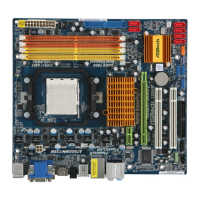
ASROCK A780GMH/128M Specifications

General IconGeneral
BrandASROCK
ModelA780GMH/128M
CategorySoftware
LanguageEnglish

Related product manuals