Connecting via a local area network (LAN)
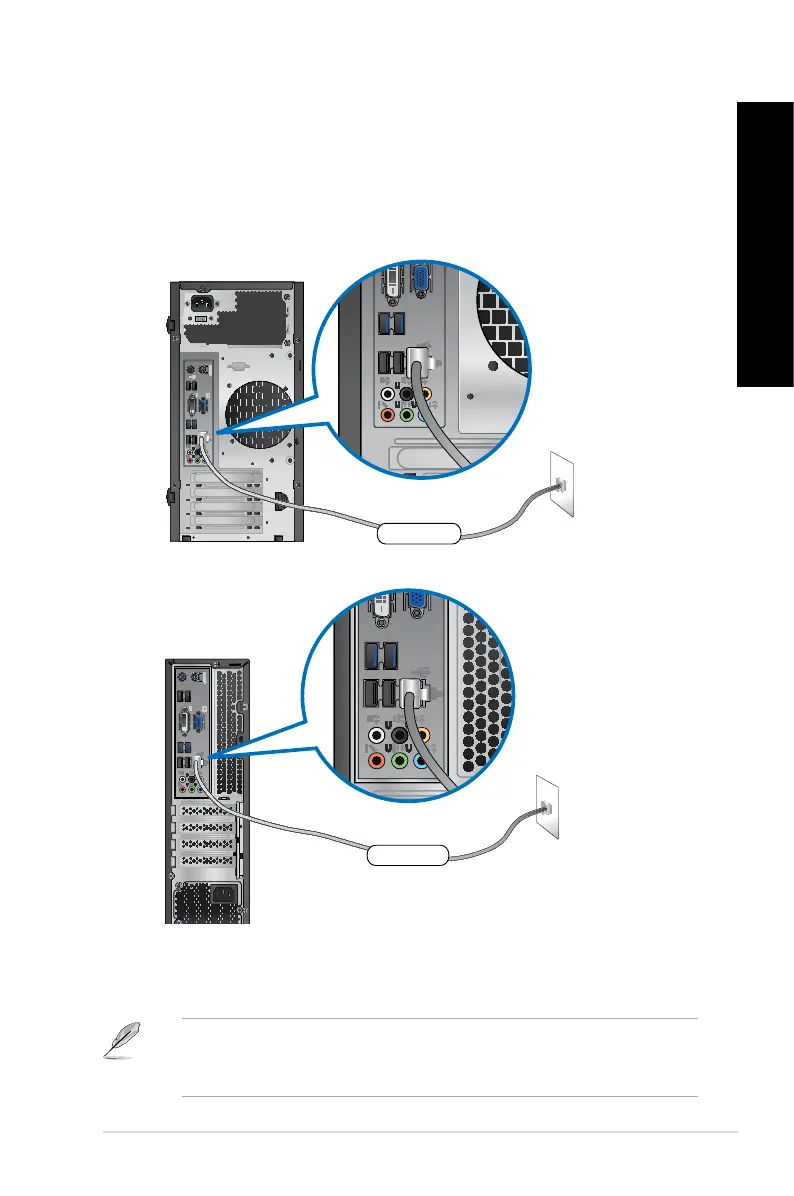
To connect via a LAN:
1. Connect one end of an RJ-45 cable to the LAN (RJ-45) port on the rear panel of your
computer and the other end to your LAN.
BM6630(MD510), BM6330
BP6230(SD510)
2. Turn on your computer.
3. Congure the necessary Internet connection settings.
• For more details, refer to the section Conguring the network connection.
• Contact your Internet Service Provider (ISP) for details or assistance in setting up your
Internet connection.
ASUS BM6630(MD510), BM6330, and BP6230(SD510) 57
ENGLISH
ENGLISH


 To Next Page
 Loading...