

 Need help?
Do you have a question about the Asus P8H61-MX R2.0 and is the answer not in the manual?
 General
| Brand | Asus |
|---|---|
| Model | P8H61-MX R2.0 |
| Category | Motherboard |
| Language | English |
Precautions before installing hardware components or changing system settings.
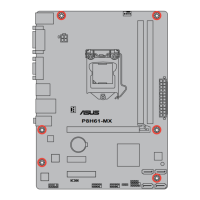
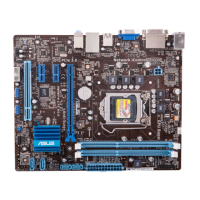
Details on the motherboard's physical layout and installation guidance.
Information on installing, handling, and troubleshooting the CPU.
Guide to installing and configuring system memory modules (DIMMs).
Description of PCI Express slots for expansion cards and their specifications.
Information on motherboard jumpers, specifically for clearing CMOS settings.
Overview of rear panel and internal motherboard connectors for system components.
Information on installing operating systems and utilizing the support DVD.
Procedures for managing and updating the system's BIOS utility.
How to enter, navigate, and configure the BIOS setup utility.
Overview of the BIOS Main menu for basic system configuration and information.
Settings for overclocking, performance tuning, and memory configuration.
Detailed configuration options for CPU, chipset, and other system devices.
Display of system temperatures, voltages, fan speeds, and other monitoring data.
Configuration options for system boot devices, sequences, and startup behavior.
Access to special function utilities like EZ Flash, SPD, and O.C. Profile.
Options for loading defaults, saving, or discarding BIOS changes and exiting setup.
Guidelines to prevent electric shock and ensure safe power handling procedures.
Precautions for handling components and operating the motherboard safely.
Explanation of the manual's structure, chapters, and content flow.
Explanation of symbols, icons, and formatting conventions used throughout the manual.
Resource for updated information, drivers, and support for ASUS hardware and software products.
Mention of additional documentation that may be included with the product package.
Explanation of text formatting conventions like bold, italics, and key notations.
List of proprietary ASUS features enhancing motherboard functionality and user experience.
Description of external connectors on the motherboard's rear panel for peripherals.
Details on internal headers for chassis connections, power, reset, and LEDs.
Summary of key BIOS functionalities supported by the motherboard, like UEFI and EZ Flash.
Features related to system management, remote control, and wake-on-LAN capabilities.
List of included accessories provided with the motherboard package, such as cables and manuals.
Information about the contents of the included support DVD for drivers and utilities.
Physical dimensions and type (uATX) of the motherboard for chassis compatibility.
Regulatory compliance statements including FCC, IC, VCCI, and KC standards.
Contact details for ASUS technical support, sales, and general inquiries globally.

 To Next Page