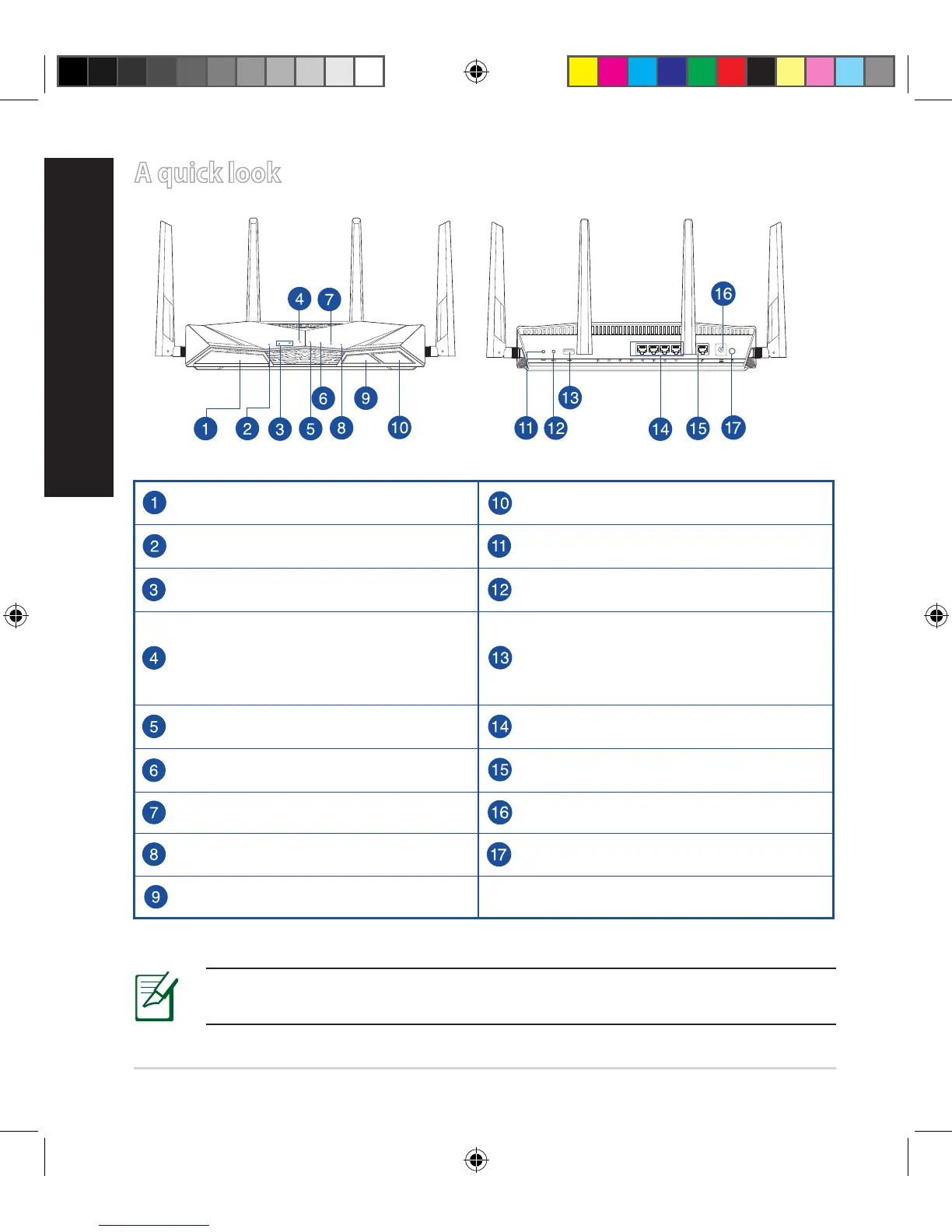
A quick look
USB 3.0 port Wi-Fi On/O button
Power LED Reset button
5GHz LED / 2.4GHz LED WPS button
WAN (Internet) LED
Red: No IP or no physical connection.
On: Has physical connection to a wide
area network (WAN).
USB 2.0 port
LAN 1~ 4 LED LAN 1 ~ 4 ports
USB 3.0 LED WAN (Internet) port
USB 2.0 LED Power (DC-IN) port
WPS LED Power button
WPS LED On/O button
WiFi
WPS
NOTE: For more details, refer to the user manual included in the sup-
port CD.
E10547_RT-AC3100_QSG.indd 2 6/17/2015 12:55:32 PM


 To Next Page
 Loading...