13
English
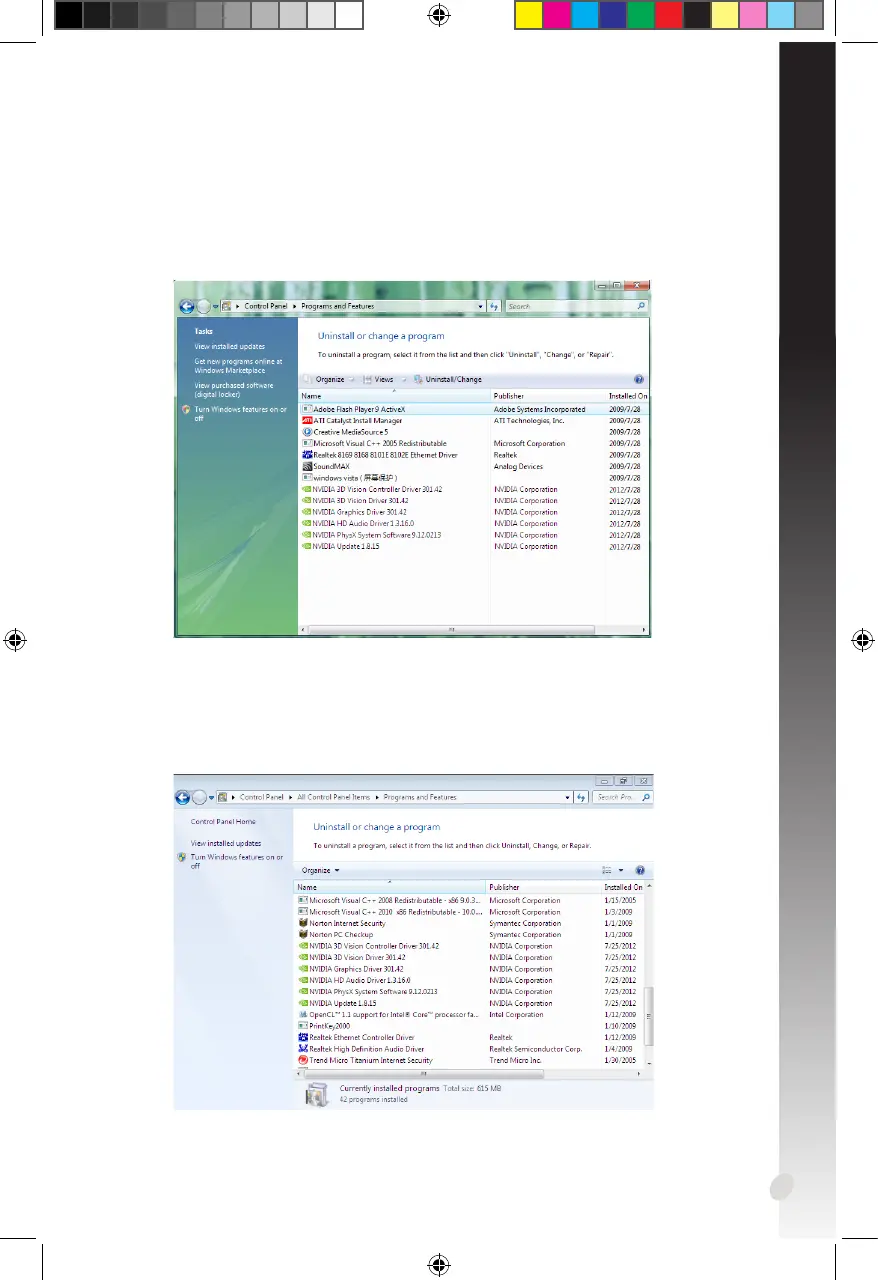
2.2.2 Uninstalling VGA drivers in Windows
®
Vista
To remove the VGA driver in Windows
®
Vista:
• Click Start > Control Panel > Programs and Features, select graphics driver.
Click Uninstall.
2.2.3 Uninstalling VGA drivers in Windows
®
7/8/8.1
To remove the VGA driver in Windows
®
7/8/8.1:
• Click Start > Control Panel > Programs > Programs and Features, select
graphics driver. Click Uninstall.


 To Next Page
 Loading...