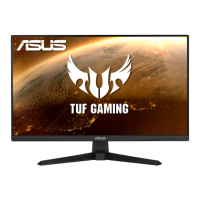
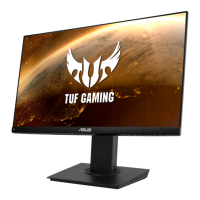
Need help?
Do you have a question about the Asus VG249Q and is the answer not in the manual?
FCC compliance requirements for device operation and interference.
Canadian compliance for radio noise emissions.
Common acceptable visual behaviors of the monitor.
Symbols and their meanings used in the user guide.
Introductory message and overview of monitor features.
List of items included in the monitor package.
Step-by-step guide for physically setting up the monitor.
Physical measurements and diagrams of the monitor.
Instructions for connecting various cables to the monitor.
Overview of the monitor's features and controls.
Procedure to remove the stand for wall mounting.
Instructions for tilting and positioning the monitor for optimal viewing.
Steps to navigate and change settings within the OSD menu.
Explanation of various OSD functions like GameVisual, Blue Light Filter, Color, Image, Sound, Input Select, System Setup, Shortcut.
FCC compliance requirements for device operation and interference.
Canadian compliance for radio noise emissions.
Common acceptable visual behaviors of the monitor.
Symbols and their meanings used in the user guide.
Introductory message and overview of monitor features.
List of items included in the monitor package.
Step-by-step guide for physically setting up the monitor.
Physical measurements and diagrams of the monitor.
Instructions for connecting various cables to the monitor.
Overview of the monitor's features and controls.
Procedure to remove the stand for wall mounting.
Instructions for tilting and positioning the monitor for optimal viewing.
Steps to navigate and change settings within the OSD menu.
Explanation of various OSD functions like GameVisual, Blue Light Filter, Color, Image, Sound, Input Select, System Setup, Shortcut.


 To Next Page
 General