Notebook PC E-Manual
37
Inserting an optical disc
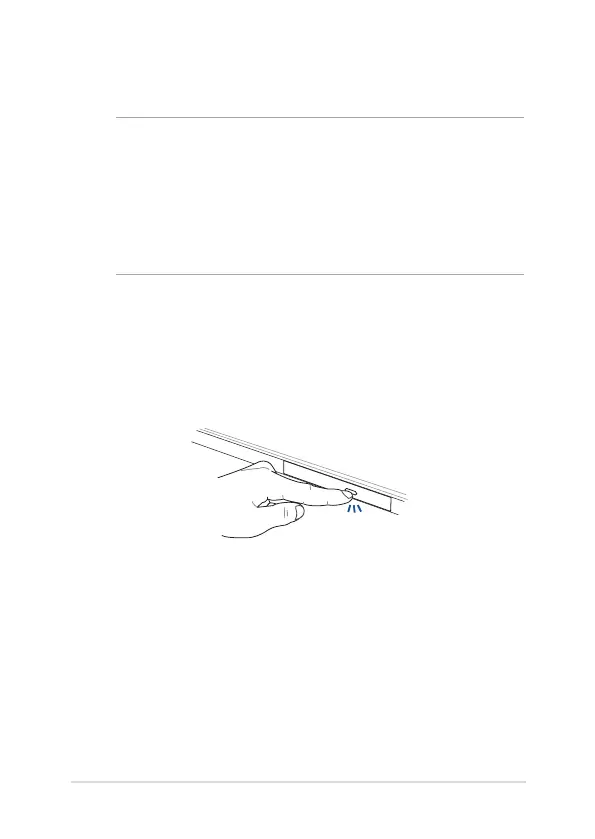
1. While the Notebook PC is on, press the electronic eject button to
partially eject the optical drive tray.
Using the optical drive
NOTE:
• Theactuallocationoftheelectronicejectbuttonmayvary
depending on your Notebook PC model.
• TheactualappearanceoftheNotebookPCopticaldrivemayalso
vary depending on model but usage procedures remain the same.
• Theopticaldriveisavailableonselectedmodels.


 To Next Page
 Loading...