Need help?
Do you have a question about the AUDAC SMA Series and is the answer not in the manual?
Explains the WaveDynamics™ audio processing technology and its benefits.
Details the various protection mechanisms implemented in the amplifier for safety and longevity.
Highlights the energy efficiency and lightweight design due to Class D technology and auto-standby.
Provides essential safety guidelines for handling and operating the equipment.
Covers user servicing, regulatory compliance (EMC/LVD), WEEE disposal, and power cord requirements.
Defines the international wiring standards used for AUDAC audio equipment connections.
Details the pin assignments and usage for XLR and 3-pin terminal block audio connectors.
Explains the RS232 connection for automation systems, including pinout and settings.
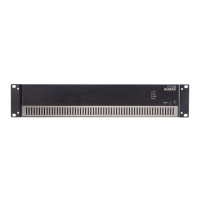
Describes the front panel layout, including USB port, LCD display, and rotary selection dial.
Details channel selection buttons, indicator LEDs, and the amplifier's power switch.
Provides a detailed overview of rear panel connections, including AC power, inputs, outputs, and expansion.
Step-by-step instructions for connecting audio inputs, loudspeakers, and power.
Guides on initial setup using presets or custom configurations for the amplifier.
Details how to assign inputs to outputs and set the appropriate input gain levels.
Explains filter and equalizer settings for optimizing sound based on room acoustics.
Describes the balanced XLR and 3-pin terminal block input connectors and their functionality.
Details the speakON and 2-pin terminal block output connectors for loudspeakers.
Illustrates common operation modes like normal stereo and bridged mono connections.
Covers SMQ specific three-channel setups and general rules for wiring the system.
Presents the amplifier's menu structure and main configuration categories.
Explains the main display for output levels and how to access the settings menu.
Details output level adjustment and input patching for each channel.
Describes the mute function and how to access advanced output configurations.
Guides on managing input lists and applying low-pass/high-pass filters.
Details the 7-band parametric equalizer for fine-tuning sound frequencies.
Covers delay for time alignment, max level for volume control, and standby mode.
Explains output limiting, phase reversal, and dynamic bass correction features.
Details channel bridging for increased power and loading loudspeaker presets.
Introduces general setup options and input gain adjustment.
Covers device addressing, password protection, and the TouchLink feature.
Details PIN management, LCD brightness, and general USB interface functions.
Explains how to save amplifier configurations to USB and load them back.
Covers USB key creation, device information, temperature, factory reset, and locking.
Lists RMS output power for various impedance loads and the frequency response range.
Provides specifications for signal-to-noise ratio and total harmonic distortion.
Details input/output connectors, impedance, sensitivity, and control interfaces.
Specifies protection features, cooling system, amplifier technology, and power supply range.
Lists power consumption figures at different states and optional accessories.

 To Next Page

 General