2. "Profiles"
3. Select a profile.
The profile that is opened is assigned to the re‐
mote control currently in use.
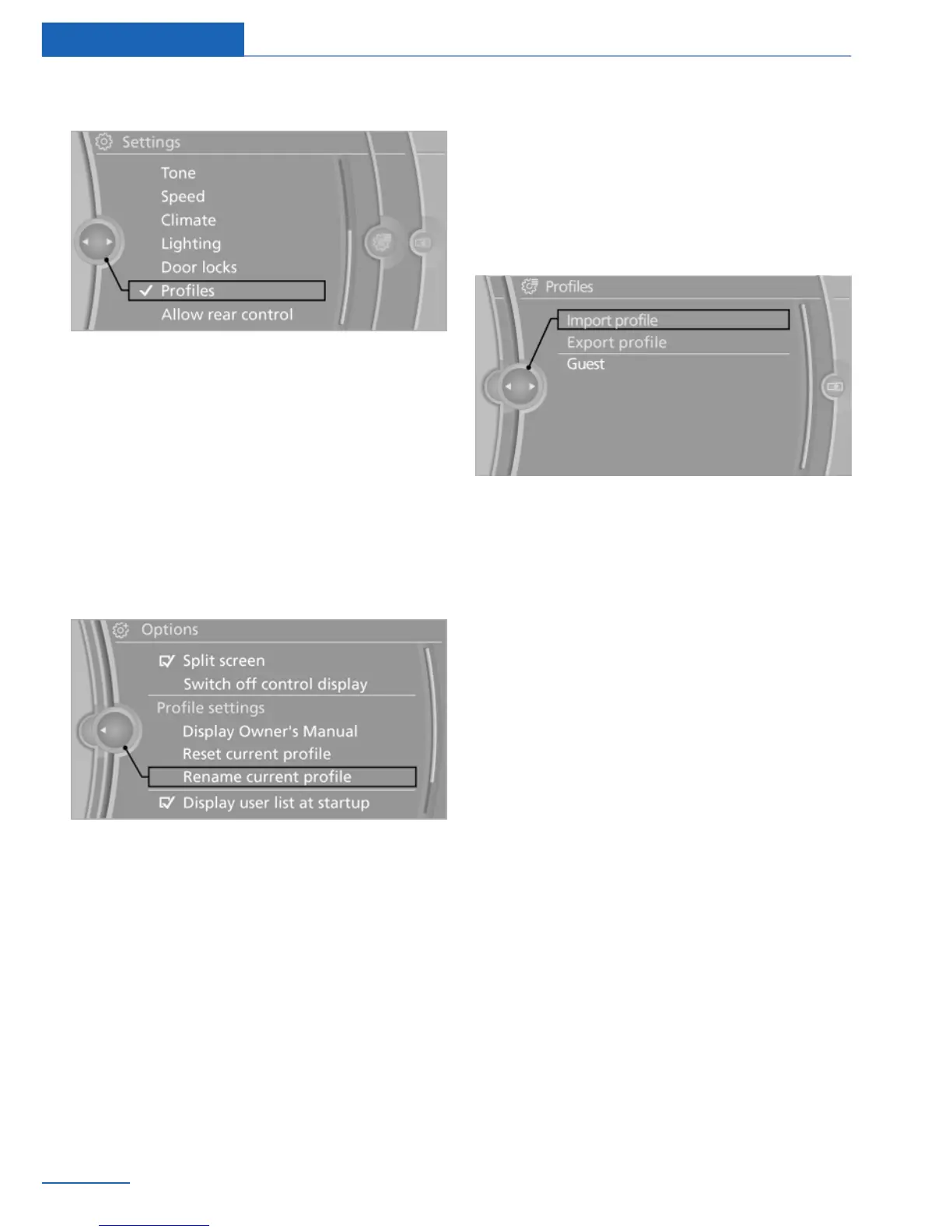
Renaming profiles
1.
"Settings"
2. "Profiles"
The current profile is selected.
3. "Options" Open.
4. "Rename current profile"
Resetting profiles
The settings of the active profile are reset to
their default values.
1.
Switch on the ignition.
2. "Settings"
3. "Profiles"
The current profile is selected.
4. "Options" Open.
5. "Reset current profile"
Importing profiles
Existing settings and contacts are overwritten
with the imported profile.
1. "Settings"
2. "Profiles"
3. "Import profile"
4. USB interface, refer to page 146: "USB
device"
Exporting profiles
Most settings of the active profile and the saved
contacts can be exported.
This can be useful for storing and opening per‐
sonal settings, e.g. if settings are accidentally
changed or deleted.
1.
"Settings"
2. "Profiles"
3. "Export profile"
4. USB interface, refer to page 146: "USB
device"
Using the guest profile
The guest profile can be used to make individual
settings without affecting the three Personal
Profiles.
This can be useful for drivers who are using the
vehicle temporarily and do not have their own
profile.
1.
"Settings"
2. "Profiles"
3. The current profile is selected.
Seite 34
Controls Opening and closing
34
Online Edition for Part no. 01 40 2 900 579 - 03 12 490


 To Next Page
 Loading...