Need help?
Do you have a question about the Brother HL-1440 and is the answer not in the manual?
Details print speed up to 14ppm and resolution up to 1200x600 dpi for efficient, high-quality output.
Features standard Parallel and USB ports, supporting wide compatibility including Windows and Mac OS.
Includes a 250-sheet paper cassette, manual feed, and automatic e-mail print software.
Covers printer technology, print speed, resolution, processor, memory, and interface options.
Details paper input, output, media types, and weights supported by the printer.
Lists available driver functions such as N in 1 Printing, Poster Printing, and Watermark Printing.
Information on toner and drum cartridges, including yield estimates.
Details print speed up to 14ppm and resolution up to 1200x600 dpi for efficient, high-quality output.
Features standard Parallel and USB ports, supporting wide compatibility including Windows and Mac OS.
Includes a 250-sheet paper cassette, manual feed, and automatic e-mail print software.
Covers printer technology, print speed, resolution, processor, memory, and interface options.
Details paper input, output, media types, and weights supported by the printer.
Lists available driver functions such as N in 1 Printing, Poster Printing, and Watermark Printing.
Information on toner and drum cartridges, including yield estimates.
The Brother HL-1440 is a high-speed laser printer designed to deliver professional-quality printing solutions for various business environments. This monochrome printer is engineered for efficiency and reliability, making it a suitable choice for users who require consistent performance and crisp output.
The primary function of the HL-1440 is to produce high-quality monochrome prints quickly and efficiently. It utilizes electrophotographic technology to achieve sharp text and graphics, making it ideal for documents, reports, and other business materials where clarity and speed are paramount. The printer is designed to handle a variety of media types, allowing users to print on standard paper, bond paper, recycled paper, envelopes, labels, and transparencies, thus catering to diverse printing needs within an office setting. Its robust design ensures that it can manage significant print volumes, supporting continuous operation in demanding work environments. The HL-1440 is built to be a reliable workhorse, minimizing downtime and maximizing productivity.
The HL-1440 offers a range of features aimed at enhancing user experience and operational flexibility. It boasts a fast print speed, enabling users to complete large print jobs in a timely manner, which is crucial for meeting deadlines in a busy office. The printer's high resolution ensures that all printed documents, whether text-heavy reports or graphics-rich presentations, exhibit excellent detail and readability.
One of the key usage features is its wide compatibility. The HL-1440 is designed to integrate seamlessly into various computing environments, supporting a broad spectrum of operating systems. This includes optimized drivers for Windows® 95/98/Me/NT®4/Windows 2000, as well as drivers for Mac OS 8.51 or later, and DOS compatibility. This extensive compatibility ensures that users across different platforms can easily connect and utilize the printer without significant setup hurdles. The inclusion of both parallel and USB ports as standard connectivity options further enhances its versatility, allowing for flexible connection to different types of computers and networks. For enhanced network integration, an optional 10BaseT Ethernet connectivity is available, enabling multiple users to share the printer efficiently within a local area network.
Paper handling is made convenient with a 250-sheet universal paper cassette, reducing the frequency of paper refills for standard print jobs. Additionally, a manual paper feed slot is provided for printing on specialized media or single sheets, offering flexibility for tasks like printing envelopes or labels without having to empty the main cassette. The printer also supports various page layout functions, such as N-in-1 printing, poster printing, and watermark printing, which can help users save paper and customize their documents for specific purposes. Features like "Quick Print Setup" and "Manual Duplex" further streamline the printing process, allowing for efficient management of print tasks.
The HL-1440 is also equipped with user-friendly software utilities. It includes an "Automatic E-mail Printing" utility, which can automatically print email messages, simplifying communication workflows. "Interactive Help" provides step-by-step guidance, making it easier for users to troubleshoot common issues or learn about the printer's functions. A "Status Monitor" keeps users informed about the printer's operational status, including toner and drum levels, helping to prevent unexpected interruptions. The "Driver Deployment Wizard" simplifies the installation process, guiding users through the steps of setting up the printer on a local or networked Windows PC.
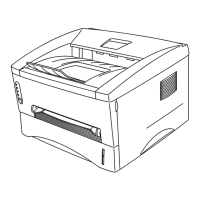
Maintenance for the Brother HL-1440 is designed to be straightforward, ensuring longevity and consistent performance. The printer utilizes a separate toner cartridge and drum unit system. This design is beneficial as it allows users to replace each component independently when it reaches the end of its life. This can be more cost-effective and environmentally friendly compared to systems where the toner and drum are integrated into a single unit, as users only replace what is necessary. The printer's control panel, featuring four LEDs and a single switch, provides clear indications of the printer's status, making it easy for users to monitor its operation and identify any potential issues that may require attention.
The HL-1440 is also designed with ecology in mind, incorporating features like "Power Saving" and "Toner Saving" modes. These features help reduce energy consumption and extend the life of the toner cartridge, contributing to lower operating costs and a smaller environmental footprint. The "Status Monitor" utility plays a crucial role in maintenance by providing real-time information on consumable levels, such as toner and drum life. This proactive monitoring allows users to order replacements in advance, preventing unexpected downtime and ensuring that the printer is always ready for use. The availability of dedicated support pages on solutions.brother.com further assists users with maintenance and troubleshooting, offering a wealth of resources and technical guidance to keep the printer running smoothly. The comprehensive support infrastructure, including interactive animations for Windows users, provides clear instructions for setup and maintenance, empowering users to manage their printer effectively.
 General
| Color | No |
|---|---|
| Print technology | Laser |
| Maximum resolution | 1200 x 600 DPI |
| Time to first page (black, normal) | 15 s |
| Print speed (black, normal quality, A4/US Letter) | 14 ppm |
| Printing colors | Black |
| Maximum duty cycle | - pages per month |
| Number of print cartridges | 1 |
| Page description languages | PCL 4 |
| Network ready | - |
| Mobile printing technologies | Not supported |
| Built-in processor | Yes |
| Maximum internal memory | 34 MB |
| Sound pressure level (printing) | 50 dB |
| Total input capacity | 250 sheets |
| Total output capacity | - sheets |
| Maximum print size | 216 x 356 mm |
| Paper tray media types | Envelopes, Labels, Plain paper |
| Paper tray media weight | 64 - 105 g/m² |
| Non-ISO print media sizes | Letter |
| ISO A-series sizes (A0...A9) | A4, A5, A6 |
| ISO B-series sizes (B0...B9) | B5 |
| Maximum ISO A-series paper size | A4 |
| Standard interfaces | Parallel, USB 2.0 |
| Mac operating systems supported | Mac OS 8.6, Mac OS 9.0, Mac OS 9.1 |
| Windows operating systems supported | Windows 2000, Windows 2000 Professional, Windows 95, Windows 98, Windows 98SE, Windows ME, Windows NT, Windows XP Home, Windows XP Home x64, Windows XP Professional, Windows XP Professional x64 |
| Power consumption (max) | 340 W |
| Power consumption (standby) | 70 W |
| Power consumption (printing) | - W |
| Power consumption (PowerSave) | 5 W |
| Display | LED |
| Product color | White |
 Weight and Dimensions
| Depth | 370 mm |
|---|---|
| Width | 360 mm |
| Height | 235 mm |


 To Next Page