193
Easy Wireless Flash Shooting
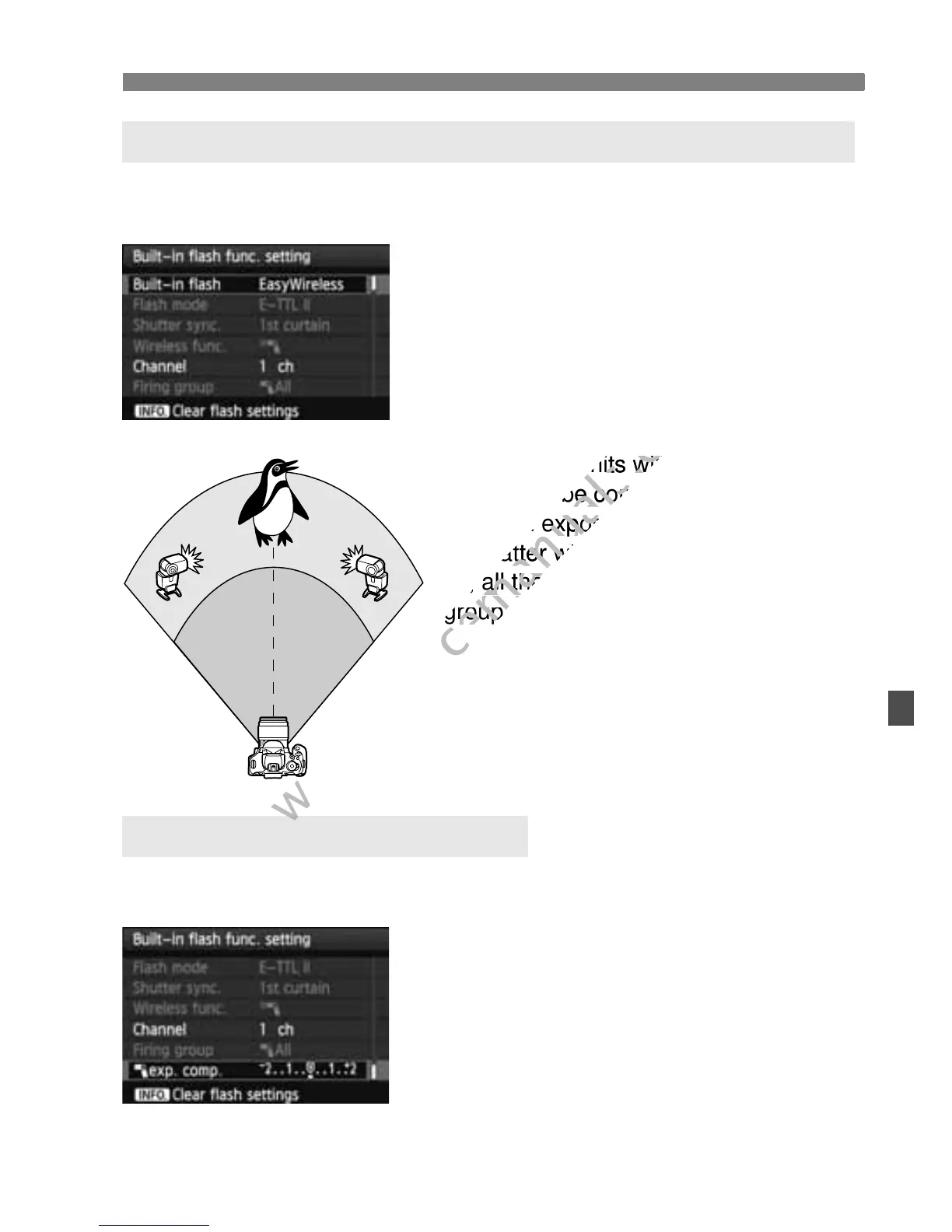
You can have multiple slave units fire as if they were a single Speedlite.
Convenient when you need a large flash output.
Basic settings:
Flash mode : E-TTL II
E-TTL II meter. : Evaluative
Built-in flash : EasyWireless
Channel : (Same as slave units)
All the slave units will fire at the same
output and be controlled to obtain a
standard exposure.
No matter what the slave ID is (A, B, or
C), all the slave units will fire as one
group.
If the flash exposure looks too dark or too bright, you can set flash
exposure compensation to adjust the slave units’ flash output.
Select [Flash exposure
compensation], then press <0>.
If the flash exposure is too dark,
press the <Z> key to increase the
flash exposure and make it brighter. If
the flash exposure is too bright, press
the <Y> key to decrease the flash
exposure and make it darker.
Fully-automatic Shooting with Multiple External Speedlites
Flash Exposure Compensation
No matter what the slave ID is (A, B, or
www.devicemanuals.eu
No matter what the slave ID is (A, B, or


 To Next Page
 Loading...













