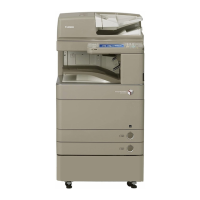
This document serves as a Troubleshooting Guide for the Canon imageRUNNER ADVANCE C5560 Series, providing solutions to common issues that may arise during the operation and maintenance of the device. It is compiled from frequently asked questions (FAQs) issued by Canon Inc. and was last updated in April 2017.
The guide covers a range of topics, including image faults, faulty feeding, general malfunctions, delivery option jams, and error codes, offering practical service workarounds for each identified symptom.
Function Description
The Canon imageRUNNER ADVANCE C5560 Series is a color copier designed for various office tasks. While the document primarily focuses on troubleshooting, it implicitly describes the device's core functions through the problems it addresses. These functions include:
- Copying and Printing: The device is capable of producing color copies and prints, as indicated by the "Copier Color" designation and the various image fault scenarios.
- Automatic Document Feeding (ADF): The device supports automatic document feeding for scanning and copying multiple pages consecutively, as evidenced by the "Image displacement when using ADF" section.
- Paper Handling and Feeding: The device handles paper feeding from various trays and through different units, including an inner finisher, as detailed in the "Faulty Feeding" section concerning poor stacking, wrinkles, or tears.
- Toner Management: The device utilizes toner containers and a process unit for image formation, with mechanisms for toner delivery and waste toner collection. The "Toner leakage" and "Insert the toner container" sections highlight aspects of toner management.
- Finishing Options: The device supports optional finishing units, such as inner finishers (G1/H1) and staple/booklet finishers (Y1), which provide functionalities like stacking, stapling, and booklet creation. This is evident in sections like "Poor stacking/wrinkles/tear of paper due to inappropriate position of the aligning plate of the processing tray unit (Inner Finisher-G1/H1)" and "E583-8001/E583-8002 due to malfunction of the front/rear tray auxiliary guides(Staple/Booklet Finisher_Y1)".
- Error Reporting: The device is equipped with an error code system to alert users and service personnel to specific malfunctions, such as jams or motor failures.
Usage Features
The troubleshooting guide provides insights into how the device is typically used and the features that users might interact with:
- ADF for Multi-Page Documents: Users can place single-sided pages in the ADF for consecutive reading, a common feature for scanning or copying multi-page documents.
- Paper Settings for Different Media: The device allows users to adjust paper settings, such as paper type (e.g., "Heavy 1" for 106-128g/m2, "Heavy 2" for 129-150g/m2), to optimize print quality for various media. This is crucial for achieving desired results with different paper weights.
- Toner Container Insertion: Users are expected to insert toner containers, and the device provides prompts like "Insert the toner container" if this action is not correctly performed.
- Finisher Tray Usage: When using an inner finisher, users will place paper in the processing tray unit, and the device's aligning plate helps ensure proper stacking and delivery.
- Buffer Pass Unit for Delivery Options: The buffer pass unit is used in conjunction with delivery options, indicating that the device can handle complex paper paths for various finishing tasks.
- Control Panel Interaction: The service work instructions frequently refer to the "Control Panel" and "Service Mode," suggesting that users or service personnel interact with the device through a display and buttons to access settings and perform adjustments.
Maintenance Features
A significant portion of the document is dedicated to maintenance, outlining procedures and components relevant to keeping the device in optimal working condition:
- Stream Read Glass Replacement: In cases of image displacement when using the ADF, the stream read glass is identified as a replaceable service part (FL3-4769-000). This indicates a maintenance procedure involving the physical replacement of a component.
- Internal Cleaning Procedures: To address horizontal lines on halftone images, the guide recommends a "Clean Inside Main unit" procedure accessible through the "Settings/Registration > Adjustment/Maintenance > Maintenance" menu. This is a user-initiated or service-initiated internal cleaning function.
- Roller and Belt Inspection/Replacement: For recurring image failures at specific intervals, the guide provides a detailed table of parts (developing cylinder, photosensitive drum, charging roller, primary transfer roller, secondary transfer inner/outer rollers, ITB, ITB drive roller, fixing film, fixing pressure roller) and their corresponding pitch intervals. This implies that regular inspection and potential replacement of these rollers and belts are part of the device's maintenance.
- Aligning Plate Adjustment: To resolve poor stacking or paper wrinkles in the inner finisher, the guide details a precise adjustment procedure for the aligning plate within the service mode. This involves measuring gaps and entering adjusted values, highlighting the need for calibrated adjustments.
- Shutter Spring Inspection/Replacement: For toner leakage from the process unit, the shutter spring (FU2-1194-000) is identified as a critical component that can come off. Maintenance involves checking and replacing this spring and exercising caution during future process unit removal/installation.
- Connector Inspection and Re-insertion: When "Insert the toner container" is displayed due to half-inserted front door SW connectors, the maintenance involves disassembling parts of the device to access and properly re-insert these connectors. This indicates a need for careful handling of internal wiring.
- Rail Unit Installation and Craw Adjustment: For issues related to the inner finisher, the guide provides specific instructions for installing the rail unit, emphasizing the correct placement of the molded part's craw to prevent twisting of the finisher frame.
- Timing Belt and Flange Installation: To address jam codes caused by a disengaged timing belt in the buffer pass unit, the maintenance involves removing the buffer pass unit, checking the timing belt, and installing a flange (FE8-8792-000) and E-ring (XD9-0136-000) to secure the belt. This is a more involved mechanical adjustment.
- Tray Auxiliary Guide Adjustment/Modification: For error codes related to the front/rear tray auxiliary guides in the staple/booklet finisher, the maintenance involves checking guide operation, and if necessary, modifying the bushing of the lower delivery roller, adjusting the guide holder assembly, and potentially replacing the lower delivery roller with a new type. This procedure involves detailed disassembly and reassembly, including screw removal and gear rotation.
- Service Mode Access: The guide repeatedly refers to "Service Mode" for various adjustments and checks (e.g., SORTER > ADJUST > INF-ALG1/2, SORTER > FUNCTION > MTR-CHK/MTR-ON). This indicates that the device has a dedicated service interface for technicians to perform diagnostic and corrective actions.
- Part Numbers for Replacement: The inclusion of specific part numbers (e.g., FL3-4769-000 for stream read glass, FU2-1194-000 for shutter spring, FE8-8792-000 for flange, XD9-0136-000 for E-ring, FM1-H272-010 for lower delivery roller, XD2-1100-505 for retaining ring) is a key maintenance feature, allowing technicians to order and replace faulty components accurately.
- Serial Number Tracking for Countermeasures: The document lists "Countermeasure cut-in serial numbers in factory" for certain issues (e.g., buffer pass unit jams, finisher error codes). This feature allows service personnel to determine if a specific device has already received a factory-level fix for a known problem, streamlining troubleshooting efforts.

 Need help?
 General


 To Next Page