To Next PageTo Next Page
 Need help?
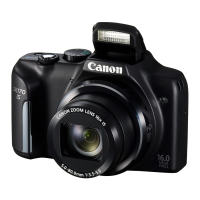
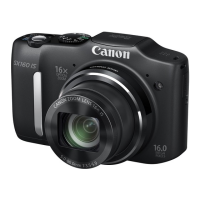
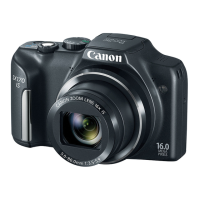
Do you have a question about the Canon SX170 8410B001 and is the answer not in the manual?
Lists items included in the camera package.
Details compatible memory card types for the camera.
Contains important notes and legal disclaimers regarding camera usage.
Identifies camera parts and explains guide conventions and icons used.
Provides critical safety warnings and guidelines to prevent injury or damage.
Covers essential steps before starting to use the camera.
Guides users through the first steps of shooting and viewing.
Introduces fundamental camera operations and features for new users.
Explains automatic shooting modes for easy, optimal shots in various conditions.
Covers various shooting modes for creative effects and special situations.
Details Program AE mode for discerning shots with preferred shooting style.
Explains modes for manual control over shutter speed, aperture, and exposure.
Guides users on reviewing, browsing, and editing captured images and movies.
Customizes basic camera functions for enhanced convenience and user preference.
Lists optional accessories to expand camera functionality and usage.
Offers helpful supplementary information, troubleshooting, and technical details.
Lists items included in the camera package.
Details compatible memory card types for the camera.
Contains important notes and legal disclaimers regarding camera usage.
Identifies camera parts and explains guide conventions and icons used.
Provides critical safety warnings and guidelines to prevent injury or damage.
Covers essential steps before starting to use the camera.
Guides users through the first steps of shooting and viewing.
Introduces fundamental camera operations and features for new users.
Explains automatic shooting modes for easy, optimal shots in various conditions.
Covers various shooting modes for creative effects and special situations.
Details Program AE mode for discerning shots with preferred shooting style.
Explains modes for manual control over shutter speed, aperture, and exposure.
Guides users on reviewing, browsing, and editing captured images and movies.
Customizes basic camera functions for enhanced convenience and user preference.
Lists optional accessories to expand camera functionality and usage.
Offers helpful supplementary information, troubleshooting, and technical details.
 General
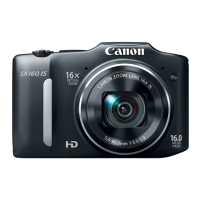
| Product Code | 8410B001 |
|---|---|
| Sensor | CCD |
| Sensor Size | 1/2.3 inch |
| Optical Zoom | 16x |
| Digital Zoom | 4x |
| Aperture Range | f/3.5-f/5.9 |
| Image Stabilization | Yes |
| Image Processor | DIGIC 4 |
| Video Resolution | 720p HD |
| ISO Range | 100-1600 |
| Continuous Shooting Speed | 0.8 fps |
| Built-in Flash | Yes |
| Weight | 251 g (including battery and memory card) |
| Model | PowerShot SX170 IS |
| LCD Screen | 3.0 inch |
| Shutter Speed | 15 – 1/3200 sec. |
| Storage Media | SD/SDHC/SDXC |
| Battery Type | NB-6LH |
| Focal Length | 28-448mm (35mm equivalent) |