EasyManua.ls Logo

Chamberlain Security+ 3950 - User Manual

Chamberlain Security+ 3950
24 pages
To Next Page IconTo Next Page
Loading...
Owner’s Manual
Please read this manual and the enclosed safety materials carefully!
The door WILL NOT CLOSE unless The Protector System
®
is connected and properly aligned.
Periodic checks of the operator are required to ensure safe operation.
The model number label is located behind the hinged door of your operator.
DO NOT exceed 10 complete cycles of door operation per hour.
DO NOT use with sectional type doors.
This manual is to be left with the property owner.
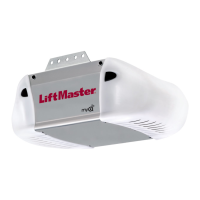
DOOR OPERATOR
Model 3950
For Light Duty Commercial Use
The Chamberlain Group, Inc.
845 Larch Avenue
Elmhurst, Illinois 60126-1196
www.liftmaster.com
®
C
o
m
p
a
t
i
b
l
e
w
i
t
h
Serial #
(Located on electrical box cover)
Installation Date
2 YEAR WARRANTY

Questions and Answers

Chamberlain Security+ 3950 Specifications

General IconGeneral
Horsepower1/2 HP
Remote ControlYes
Drive TypeChain Drive
Max Lift Height7 feet
Security FeaturesSecurity+ Rolling Code Technology
Voltage120V
SecuritySecurity+ Rolling Code

Summary

Introduction

Safety Symbol Review and Signal Word Review

Explains safety symbols and signal words used in the manual.

Preparing Your Door

Specifications

Lists technical specifications for the door operator.

Installation

Important Installation Instructions

Crucial safety warnings and general instructions for installation.

Install the Door Sprocket

Step-by-step guide for attaching the door sprocket to the door shaft.

Mount the Operator

Instructions for securely mounting the operator unit to the wall.

Attach Emergency Release Rope and Handle

How to connect the manual release rope and handle for emergency operation.

Install Single Button Control Station

Guide for wiring and mounting the operator's wired control station.

Electrical Requirements

Details on power connection, wiring, and electrical safety.

Install Safety Reversing Sensors

Instructions for installing safety sensors, brackets, wiring, and alignment.

Troubleshoot Safety Reversing Sensors

Addresses issues and diagnostic codes for the safety reversing sensors.

Adjustment

Program Travel Limits

Sets the fully open and closed positions for the door operation.

Set the Force

Calibrates the force required for opening and closing the door.

Test The Protector System

Verifies the functionality and safety of the reversing sensor.

Open Door Manually

Procedure for releasing and operating the door by hand during power loss.

Operation

Important Safety Instructions

Key safety guidelines for operating the door operator safely.

Using Your Operator

How to operate the door using control stations and remote controls.

Operator Maintenance Schedule

Recommended monthly checks and maintenance tasks for the operator.

Troubleshooting

Common Problems and Solutions

Lists common issues encountered with the operator and their resolutions.

Diagnostic Chart

Interprets flashing indicator lights for system fault diagnosis.

Programming

Program Remote Controls

Adds or reprograms hand-held remote controls to the operator.

Erase All Remote Codes

Clears all previously programmed remote control codes from memory.

Program Keyless Entry PIN

Sets up or changes Personal Identification Numbers for keyless entry.

Repair Parts

Installation Parts List

Lists parts included with the operator for initial installation.

Motor Unit Assembly Parts

Lists individual components within the motor unit assembly.

Accessories

Notes

Related product manuals