4028520 Rev A 21
How Do I Connect the Cable Modem for Internet and Telephone Service?
How Do I Connect the Cable Modem for Internet and
Telephone Service?
You can use the cable modem to provide both telephone service and to provide
Internet access, and you can share that Internet connection with other Internet
devices in your home or office. Sharing one connection among many devices is
called networking.
Connecting and Installing Internet Devices
Professional installation may be available. Contact your local service provider for
further assistance.
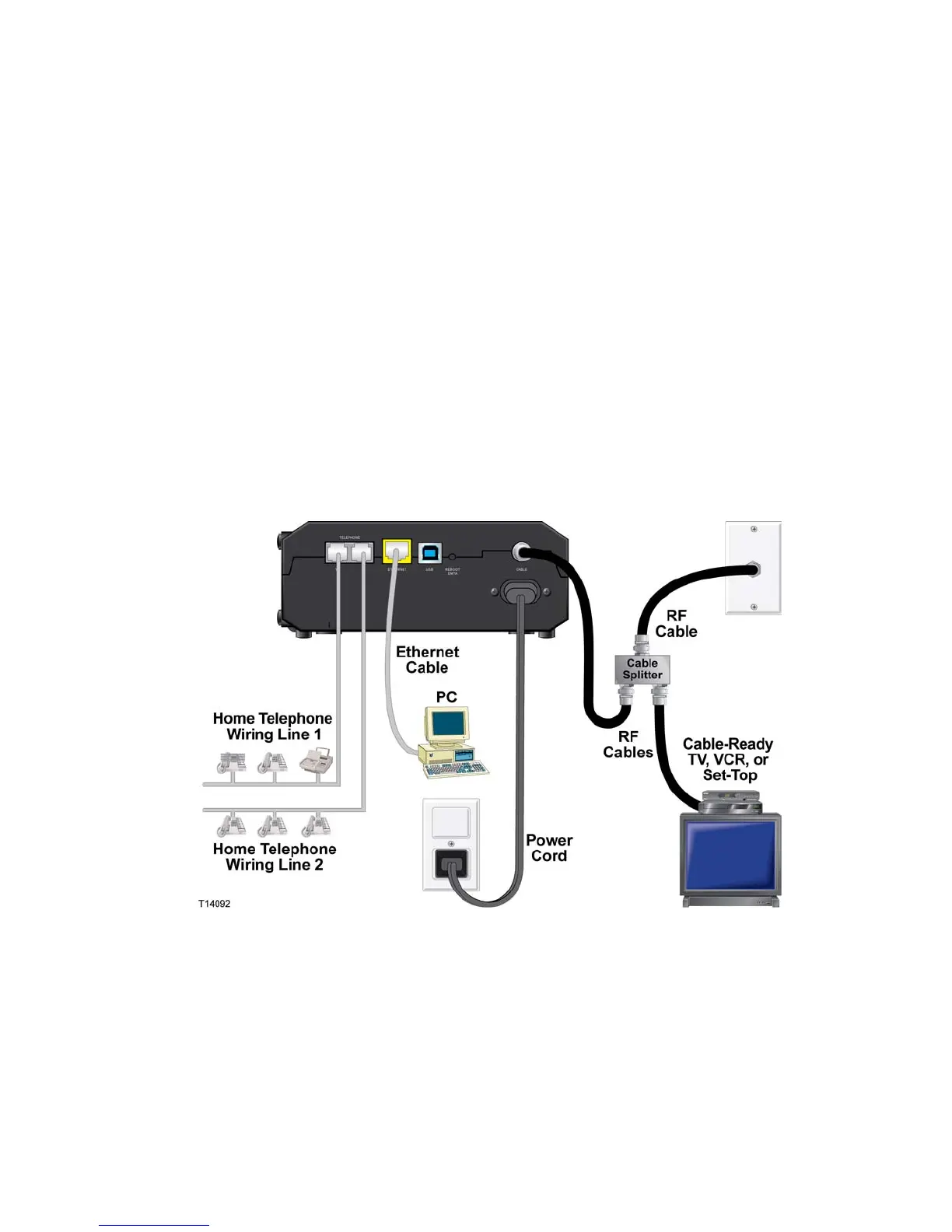
To connect devices
The following diagram illustrates one of the various networking options that are
available to you.

 To Next Page
 Loading...