18
Cisco 10-Gigabit XFP Transceiver Modules Installation Note
OL-24246-01
Installing the 10-Gigabit XFP Transceiver Module
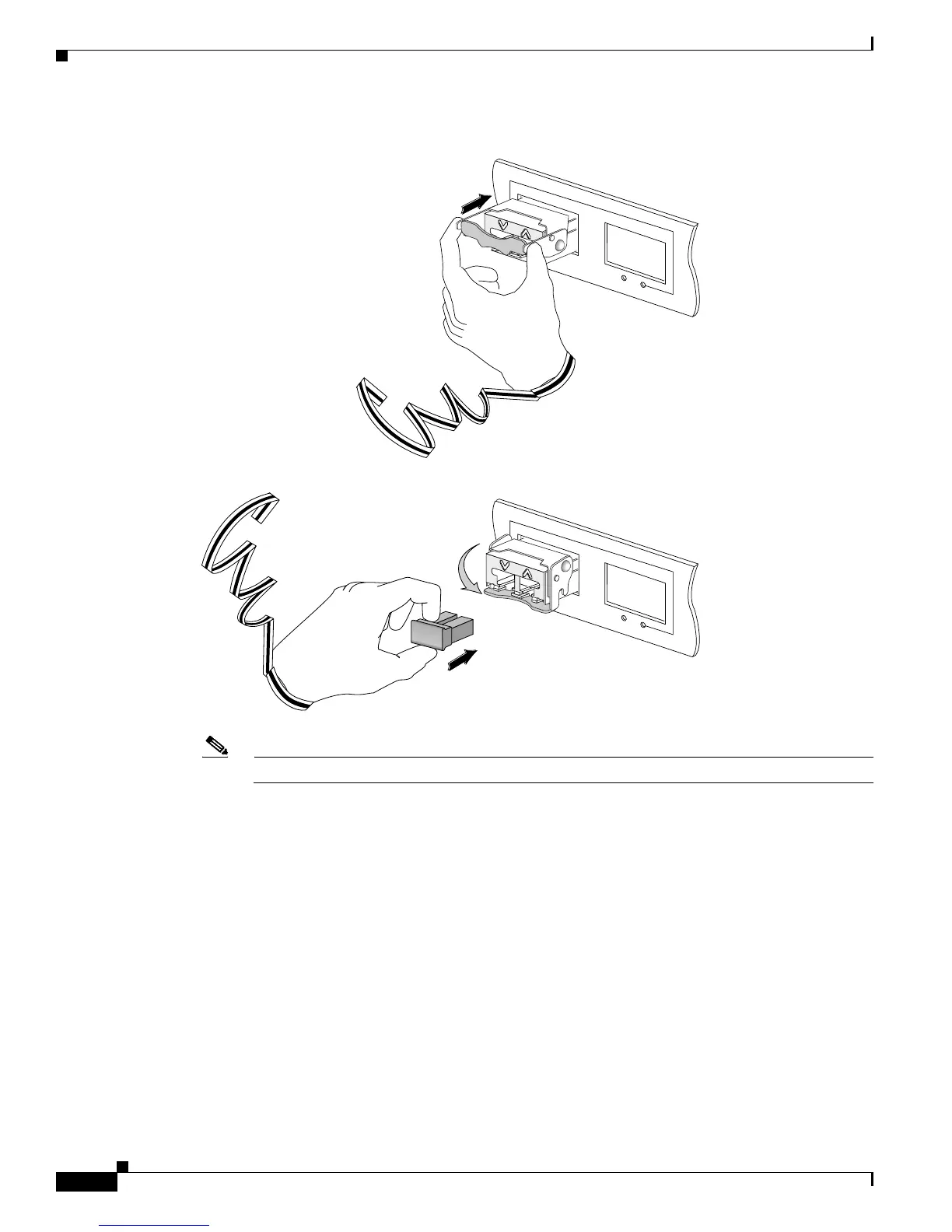
Figure 2 Installing the 10-Gigabit XFP Transceiver Module
Note 10-Gigabit XFP transceiver modules are keyed to prevent incorrect insertion.
Before removing the dust plugs and making any optical connections, follow these guidelines:
–
Keep the protective dust plugs installed in the unplugged fiber-optic cable connectors and the
transceiver optical bores until you are ready to make a connection.
–
Inspect and clean the LC connector end faces just before you make any connections. See the Tip
on this page for a pointer to a fiber-optic inspection and cleaning white paper.
–
Grasp the LC connector only by the housing to plug or unplug a fiber-optic cable.
a. Remove the dust plugs from the optical network interface cable LC connectors. Save the dust plugs
for future use.
b. Inspect and clean the LC connector’s fiber-optic end faces. See the Tip on this page for a pointer to
a fiber-optic inspection and cleaning white paper.
Tip For complete information on inspecting and cleaning fiber-optic connections, see this URL:
http://www.cisco.com/en/US/tech/tk482/tk876/technologies_white_paper09186a0080254eba.s
html
1
LINK
LINK
ACTIVE
AC
TIVE
2
1
LIN
K
LINK
A
CTIVE
A
CTIVE
2
144376



 To Next Page
 Loading...


