To Next PageTo Next Page
 Need help?
Do you have a question about the Cisco WAP4410N and is the answer not in the manual?
Details the status LEDs on the access point's front panel, including Power, PoE, Wireless, and Ethernet activity.
Describes the Ethernet port, Power port, and the reset button located on the back panel of the access point.
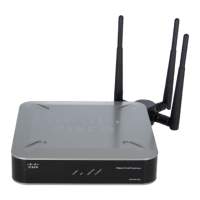
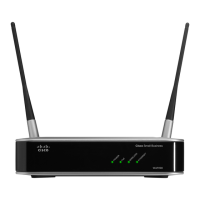
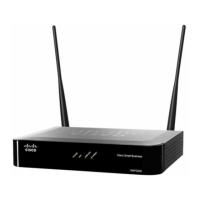
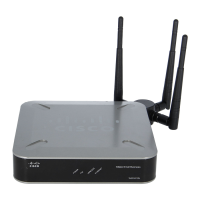
Explains the detachable antennas, their MIMO capabilities, and placement options like desktop, wall, or stand mounting.
Lists all the items included in the WAP4410N Access Point package, such as the access point, antennas, and cables.
Instructions for connecting the access point to a network using a Power over Ethernet (PoE) switch.
Steps for connecting the access point to a network using a standard network switch and power adapter.
Guide to accessing the access point's web interface for configuration using a browser.
Steps for downloading and applying firmware updates to the access point via the configuration utility.
Links and references for obtaining technical documentation, firmware downloads, and customer support.
Details the status LEDs on the access point's front panel, including Power, PoE, Wireless, and Ethernet activity.
Describes the Ethernet port, Power port, and the reset button located on the back panel of the access point.
Explains the detachable antennas, their MIMO capabilities, and placement options like desktop, wall, or stand mounting.
Lists all the items included in the WAP4410N Access Point package, such as the access point, antennas, and cables.
Instructions for connecting the access point to a network using a Power over Ethernet (PoE) switch.
Steps for connecting the access point to a network using a standard network switch and power adapter.
Guide to accessing the access point's web interface for configuration using a browser.
Steps for downloading and applying firmware updates to the access point via the configuration utility.
Links and references for obtaining technical documentation, firmware downloads, and customer support.
 General
| Bandwidth | 2.4 GHz |
|---|---|
| Networking standards | - |
| Spread spectrum method | DSSS |
| Ethernet LAN data rates | 10, 100, 1000 Mbit/s |
| Maximum data transfer rate | 300 Mbit/s |
| Quality of Service (QoS) support | Yes |
| Compliance industry standards | IEEE 802.11b, IEEE 802.11g, IEEE 802.11n |
| Supported data transfer rates | 10/11/54/100/300 Mbit/s |
| Antenna gain level (max) | 2 dBi |
| Ethernet LAN (RJ-45) ports | 1 |
| Security algorithms | 64-bit WEP, 128-bit WEP, SSID, WPA, WPA-PSK, WPA2-PSK |
| Power requirements | 12 V DC |
| Storage temperature (T-T) | -20 - 70 °C |
| Operating temperature (T-T) | 0 - 40 °C |
| Storage relative humidity (H-H) | 5 - 95 % |
| Operating relative humidity (H-H) | 10 - 85 % |
 Weight and Dimensions
| Weight | 390 g |
|---|---|
| Dimensions (WxDxH) | 170 x 41 x 170 mm |