13D-Link DHP-348AV User Manual
Section 2 - Installation
Push Button Security
Understanding PowerLine AV Network Security
The PowerLine AV 4-Port Switch Mini Kit must use an identical encryption key for the network. The default encryption key for the PowerLine AV
4-Port Switch Mini Kit is HomePlugAV. PowerLine AV 4-Port Switch Mini Kits with a default encryption key can communicate with each other.
It is recommended to create a private encryption key for network security purpose. The private encryption key allows you to protect your network
from unauthorized access via the PowerLine network. To create a private encryption key instead of the default encryption key, please follow below
steps:
1. PowerLine AV 4- Port Switch
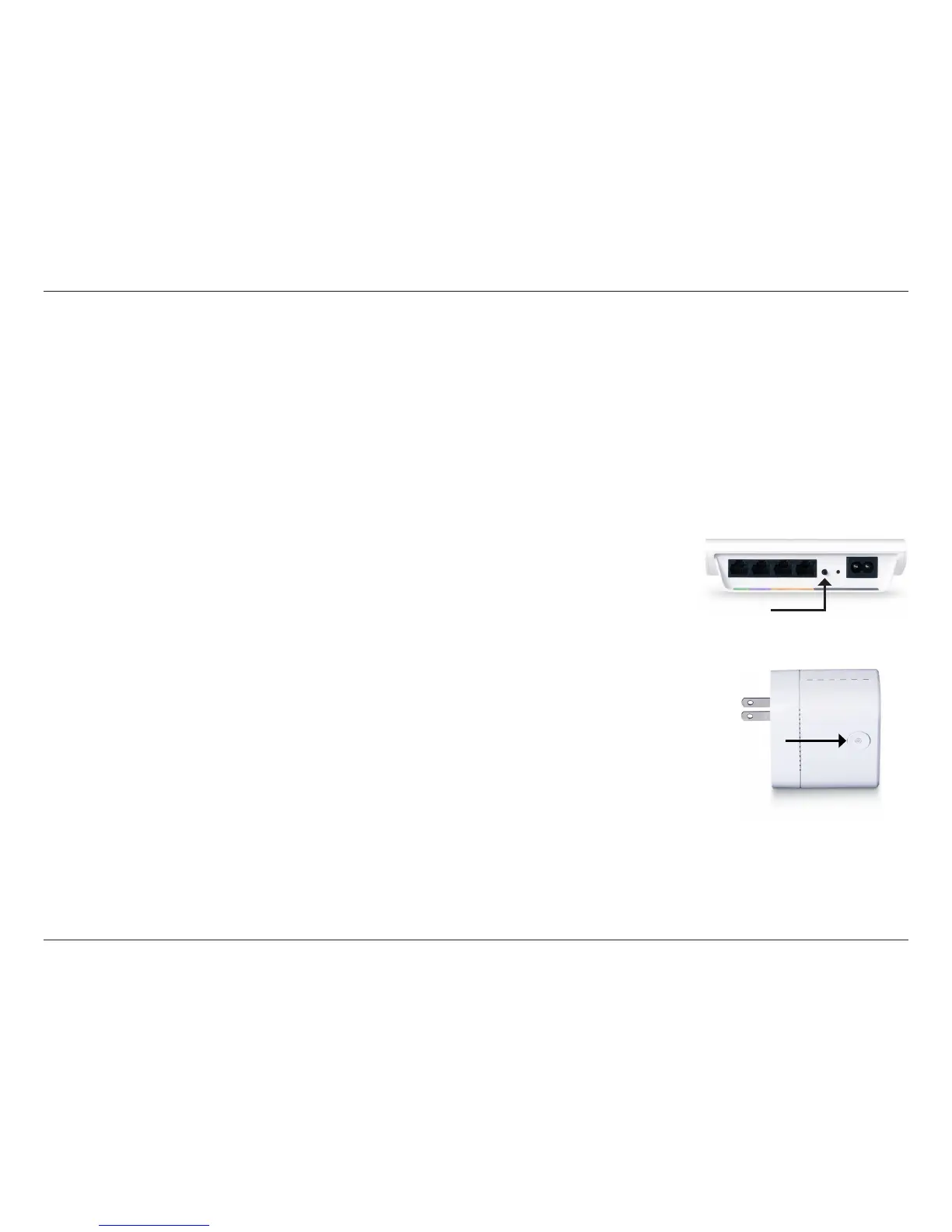
Press the Simple Connect button located on the back of the PowerLine AV 4-Port Switch for no more than
2 seconds. The Power LED will start blinking after you release the button. The Switch will create a private,
randomly generated encryption key that the PowerLine AV adapters in your network will use.
2. PowerLine AV Mini Adapter
Within 2 minutes of pushing the Simple Connect button of the PowerLine AV 4-Port Switch, press the Simple
Connect Button on the PowerLine AV Mini Adapter for no more than 2 seconds. The Power LED will start
blinking after you release the button. The PowerLine LED on the adapter and the switch will illuminate when
the connection is established.
Note: Both Simple Connect buttons must be pressed within 2 minutes.
3. PowerLine Network
After the above network security setup steps, your PowerLine network will be securely congured with the same
network encryption key. The PowerLine AV 4-Port Switch and the PowerLine AV Mini Adapter will memorize
the security settings even if they are unplugged.
Note: To change the private encryption key, please reset the adapter back to its default value by pressing the Reset
button for 1 seconds and then follow the security setup procedure above.


 To Next Page
 Loading...