15D-Link GO-RT-N150 User Manual
Section 3 - Conguration
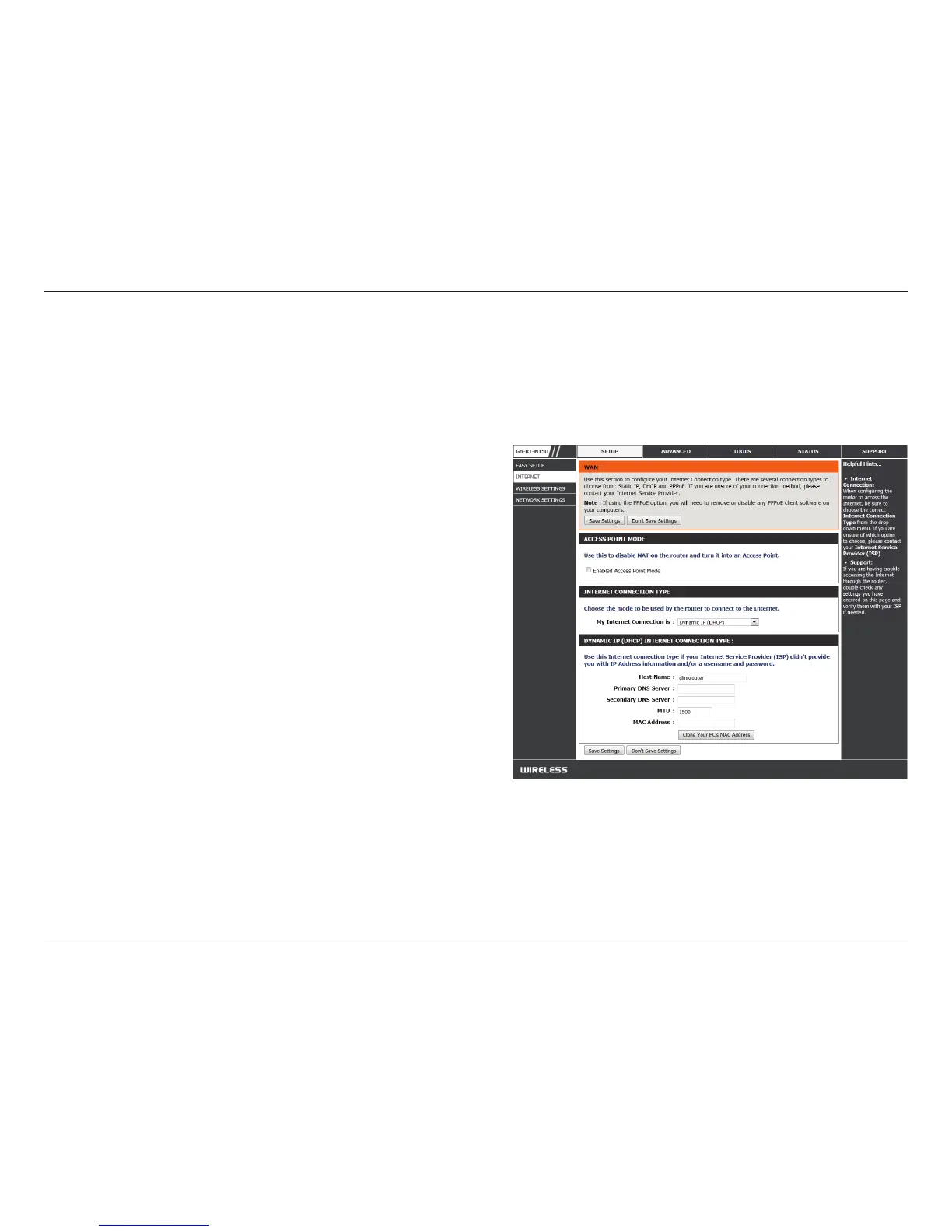
If you opt to set up your Internet connection manually, you will be redirected to a WAN page that allows you to select
your Internet type and enter the correct conguration parameters.
Select your Internet connection type using the “My
Internet Connection is” drop-down menu.
Click the Save Settings button when you have
congured the connection.
Manual Conguration
Dynamic (Cable)
Use this mode to disable NAT on the router and turn it into
an Access Point
Select your Internet connection type using the “Internet
connection type” drop-down menu.
Access Point
Mode:
Internet
Connection
Type:


 To Next Page
 Loading...