Using Bluetooth
1. Power on the unit and press “MODE” button to change to bluetooth mode or press “BT”
button on the remote, the LED display will display “ ”.
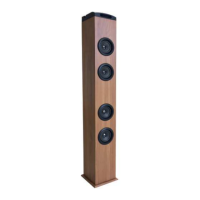
2. The previous paired device will connect to speaker tower automatically when each time
changing to bluetooth mode.
3. Press play/pause button and hold for 10 seconds, after a beep tone, the tower speaker is
prepared to be paired again.
4. Search “DAEWOO DSK-300” and pair it, input the password “0000” if necessary.
5. If it still doesn’t work, please reset the Bluetooth and follow above step again.
Notes:
1. When the Bluetooth icon on the display ashes, means the speaker is searching the
previous paired device.
2. Press play/pause/Pairing button and hold for 10 seconds, the Bluetooth icon on the
display will ash fast, which means the speaker is ready for being paired.
3. After paired successfully, the Bluetooth icon on the display will be on.
USB port for playing MP3
1. Power on the unit and insert a USB Flash Drive (not supplied) into the USB Port, ensuring
the plug is fully inserted at the correct way.
2. The tower will play music from the USB automatically or press “MP3” button on the
remote. The maximum size of Flash Drive that can be connected is 16GB max.
SD card slot for playing MP3
1. Insert an SD or MMC memory card (not supplied) into the memory card expansion slot.
Make sure it is inserted at the correct way.
2. The tower will play music from the SD card automatically or press “MP3” button at the
remote
Playing the FM radio
1. Press the “STANDBY” button to turn the unit on,.
2. Ensure the FM Antenna has been fully extended and press “Mode” to adjust to “FM” mode
or press “FM” button on the remote.
3. Press the “Skip forward” and “Skip backward” to select the desired FM radio station. Press
“Skip forward” or “Skip backward” and hold, the unit will scan the radio station, and stop
once found one.
Programming & Playing of FM radio presets
1. Follow the steps for Playing the FM Radio.
2. Press “Scan” button on the remote to search and preset stations in memory, (i.e. “P01” –
this will blink on the display - and then the preset station frequency number will show
on the display).
3. Note: 20 FM stations can be preset.
4. To play the preset Radio Stations, press the “CH-” or “CH+” buttons to cycle through the
preset FM radio stations.


 To Next Page
 Loading...