Need help?
Do you have a question about the Dahua VTO6000CM and is the answer not in the manual?
 General
| Audio | Built-in Microphone and Speaker |
|---|---|
| Audio Compression | G.711 |
| Bidirectional Talk | Yes |
| Weight | 1.2kg |
| System | Embedded Linux |
| Video Compression | H.264 |
| Alarm Input | 1 channel |
| Alarm Output | 1 channel |
| Network Protocol | TCP/IP |
| Certifications | CE, FCC |
| Protection Grade | IP65 |
| Camera | 2MP CMOS |
| Connectivity | Ethernet |
| Power Supply | 12V DC |
| Door Control | Support |
| Interface | RJ45 |
| Working Temperature | -30°C to +60°C |
| Display | 7 inch color display |
| Operation Mode | Stand-alone |
Lists essential security steps for system protection.
Specifies environmental and installation conditions for safe device operation.
Details electrical safety standards and power supply specifications.
Details the front panel components and functions of VTO6210B/VTO6210BW.
Details the rear panel ports and connections of VTO6210B/VTO6210BW.
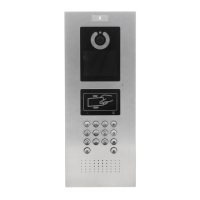
Details the front panel components of VTO6000CM/VTO6100C models.
Outlines the overall steps for device configuration.
Covers initialization, numbering, network, SIP, and call settings for VTOs.


 To Next Page