Back to Contents Page
Setting Up the Monitor
Dell™E170S/E190SFlatPanelMonitorUser's Guide
Attaching the Stand
Connecting the Monitor
Organizing Your Cables
Attaching the Soundbar (Optional)
Removing the Stand
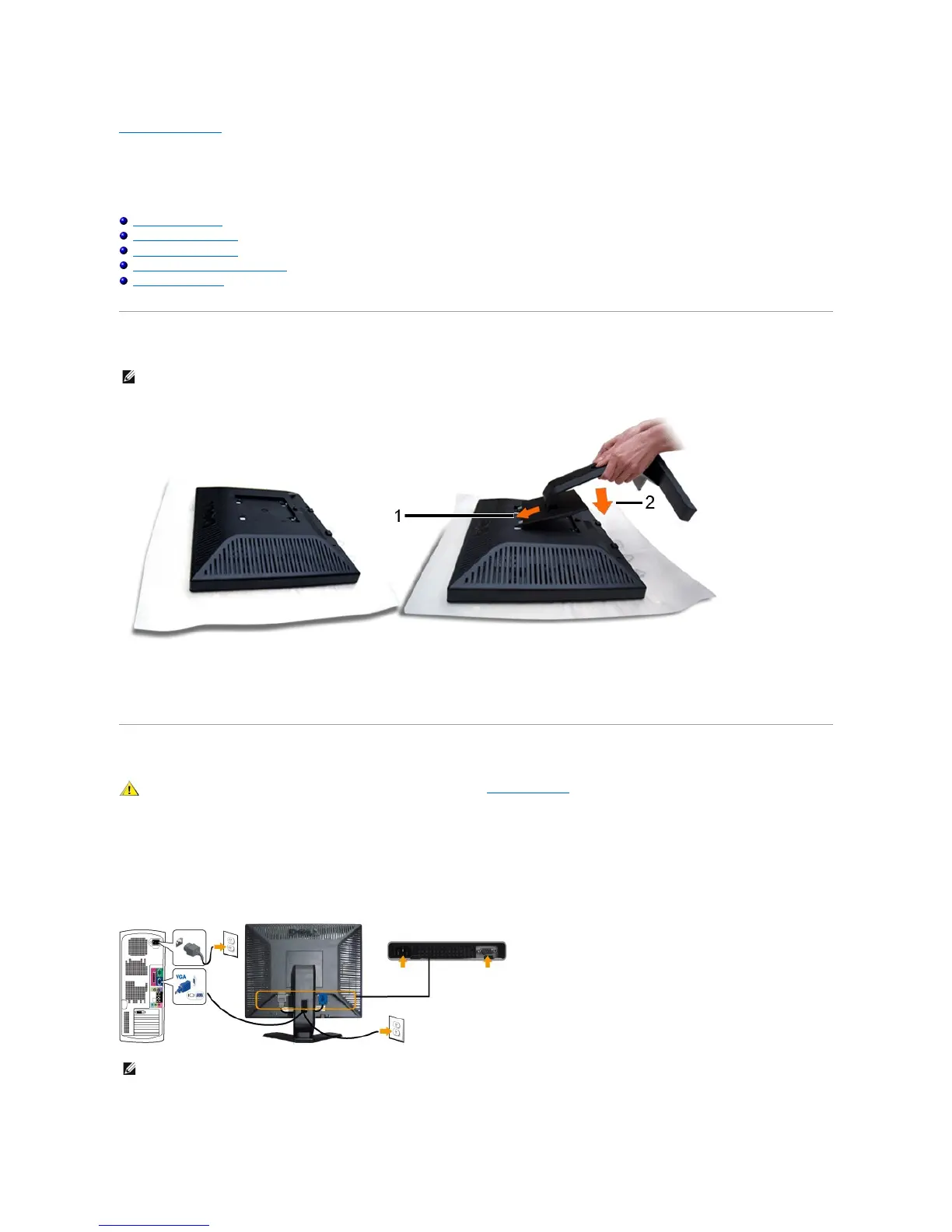
Attaching the Stand
Remove the monitor cover and place the monitor on it.
1. Fit the two tabs on the upper part of the stand to the groove on the back of the monitor.
2. Lower the stand so that the monitor mounting area snaps onto the stand.
Connecting Your Monitor
To connect your monitor to the computer perform the following steps/instructions:
1. Turnoffyourcomputeranddisconnectthepowercable.
2. Connecttheblue(analogVGA)displayconnectorcabletothecorrespondingvideoconnectoronthebackofyourcomputer.
Connecting the blue VGA cable
After you have completed connecting the VGA cable, follow the procedure below to complete your monitor setup:


 To Next Page
 Loading...










