To Next PageTo Next Page
 Need help?
Do you have a question about the Dell Inspiron 11-3158 and is the answer not in the manual?
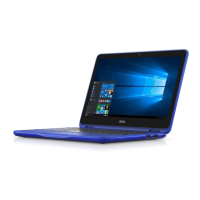
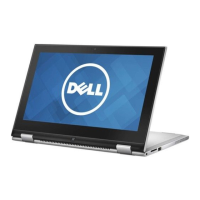
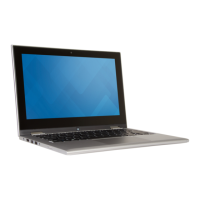
The Dell Inspiron 11 3000 Series is a versatile 2-in-1 laptop designed for various modes of use, including Notebook, Tablet, Stand, and Tent. This adaptability makes it suitable for a range of tasks, from productivity to entertainment.
The Inspiron 11 3000 Series functions as a personal computer, offering capabilities for computing, communication, and multimedia consumption. It is equipped with essential ports for connecting external devices and peripherals, ensuring broad compatibility and expandability. The integrated camera and microphones facilitate video conferencing and recording, while the audio system provides sound output for media and communication. The device's display is touch-enabled, enhancing interactivity and navigation, especially in tablet mode.
The device features a Power/Battery status light that indicates its power state and battery charge level. A solid white light signifies that the power adapter is connected and the battery is charging. A solid yellow light indicates a low or critical battery charge. When the light is off, it means the power adapter is connected and the battery is fully charged, or the power adapter is not connected. The power button serves multiple functions: pressing it turns on the computer if it's off or in Sleep state, and also puts the computer into Sleep state. Holding the power button for 4 seconds forces a shut-down. Users can customize the power-button behavior through the Power Options settings.
The Inspiron 11 3000 Series offers a variety of ports for connectivity. It includes a power-adapter port for charging and powering the device. For data transfer and peripheral connections, it provides USB 2.0 and USB 3.0 ports. Notably, one of the USB 3.0 ports features PowerShare, allowing users to charge USB devices even when the computer is turned off. However, for charging in off or Hibernate states, the power adapter must be connected, and this feature needs to be enabled in the BIOS setup program. An HDMI port allows connection to external displays like TVs, providing both video and audio output. For audio input and output, a headset port is available, supporting headphones, microphones, or a combined headset. The device also includes a media-card reader for accessing and storing data on media cards. Wireless connectivity is supported through Wi-Fi and Bluetooth, with optional Intel WiDi for wireless display capabilities.
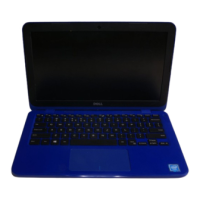
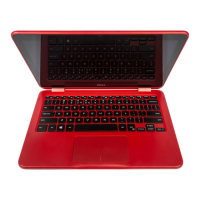
The device features a chiclet keyboard with shortcut keys for various functions. Some keys have dual symbols, allowing users to type alternate characters by pressing Shift and the desired key, or perform secondary functions by pressing Fn and the desired key. The behavior of these shortcut keys can be changed in the System Setup by adjusting the Function Key Behavior. Dedicated volume-control buttons allow for easy adjustment of audio levels. The touch pad provides a responsive interface for navigation, with distinct left-click and right-click areas. Moving a finger across the touch pad moves the mouse pointer, and tapping performs a left-click.
Equipped with a camera, the Inspiron 11 3000 Series supports video chat, photo capture, and video recording. A camera-status light indicates when the camera is in use. Dual microphones (left and right) provide high-quality digital sound input for audio recording and voice calls. The device also includes left and right speakers for audio output.
The display is an 11.6-inch HD WLED touch screen, offering interactive capabilities. An ambient-light sensor automatically detects the surrounding light conditions and adjusts the display brightness accordingly, optimizing viewing comfort and battery life. The Windows button on the display allows quick access to the Start screen.
The 2-in-1 design allows the device to transform into different modes:
While the manual does not explicitly detail user-level maintenance features, the design implies standard laptop care. This would typically include keeping the device clean, especially the screen and keyboard, and ensuring proper ventilation to prevent overheating. The battery is an internal component, and its lifespan is measured in discharge/charge cycles, suggesting that proper charging habits can contribute to its longevity. The power adapter is an external component, easily replaceable if needed. The modular nature of internal components like memory (SODIMM slot) and M.2 slot for Wi-Fi and Bluetooth combo card suggests that upgrades or replacements of these specific components might be possible by a qualified technician, though this is not a user-level maintenance task. The presence of a security-cable slot allows users to secure the device physically, preventing unauthorized movement.
 General
| Screen Size | 11.6 inches |
|---|---|
| Storage | 500 GB HDD |
| Model | Dell Inspiron 11-3158 |
| RAM | 4GB DDR3L |
| Operating System | Windows 10 |
| Graphics | Intel HD Graphics |
| Display | 1366 x 768 |
| Battery | 3-cell lithium-ion |
| Ports | 1 x HDMI, 1 x headphone/microphone combo jack, 1 x SD card reader |
| Wireless | Bluetooth 4.0 |