Keyboard shortcuts
NOTE: Keyboard characters may differ depending on the keyboard language configuration. Keys used for shortcuts
remain the same across all language configurations.
Table 23. List of keyboard shortcuts
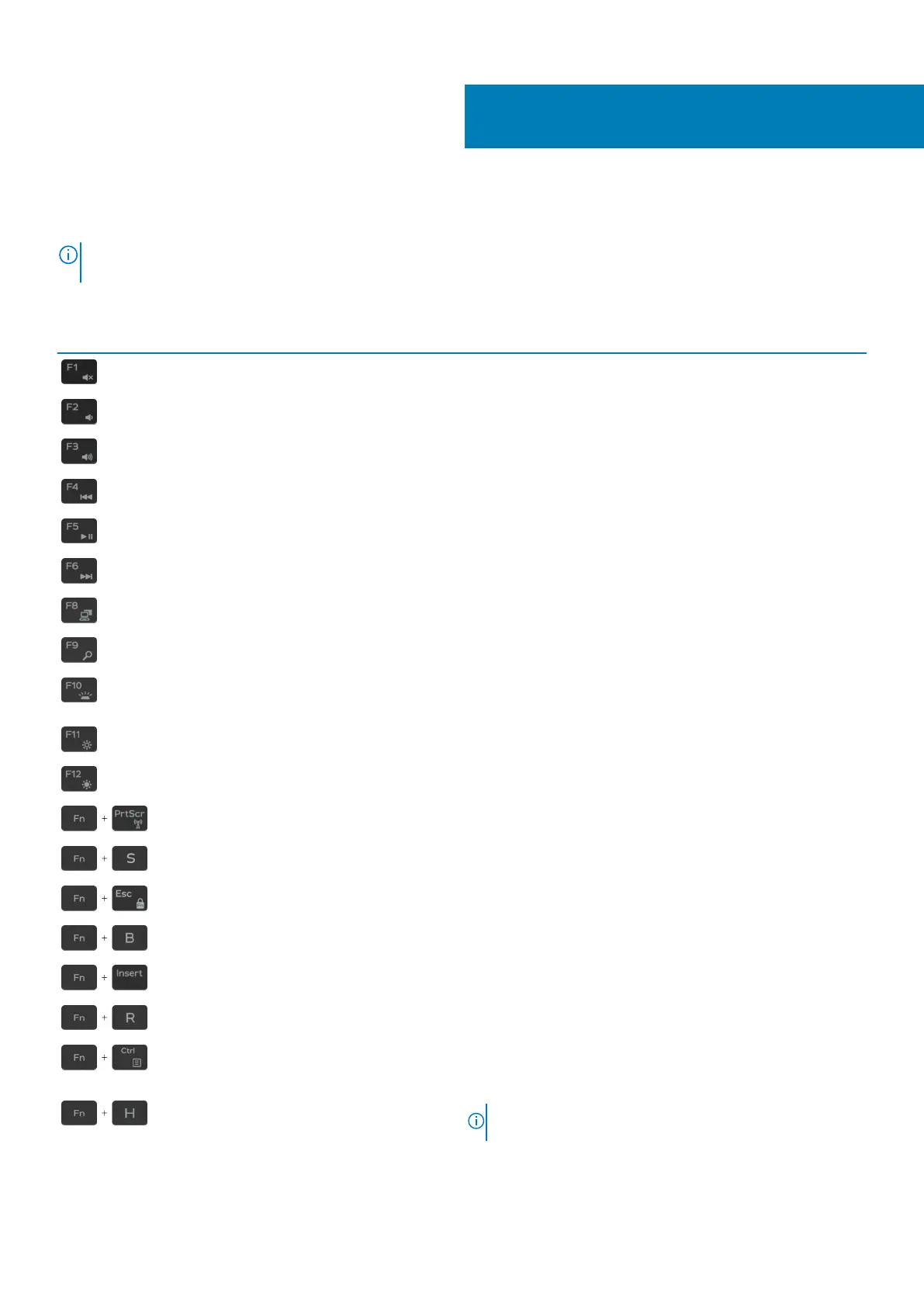
Keys Description
Mute audio
Decrease volume
Increase volume
Play previous track/chapter
Play/Pause
Play next track/chapter
Switch to external display
Search
Toggle keyboard backlight (optional)
Decrease brightness
Increase brightness
Turn off/on wireless
Toggle scroll lock
Toggle Fn-key lock
Pause/Break
Sleep
System request
System request
Toggle between battery-status light and hard-drive activity light
NOTE: Hard-drive activity light is supported only on
computers shipped with a hard drive.
5
Keyboard shortcuts 19


 To Next Page
 Loading...