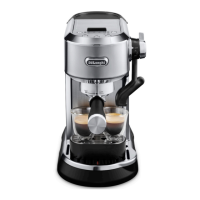
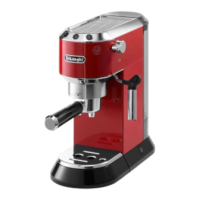
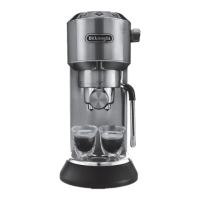
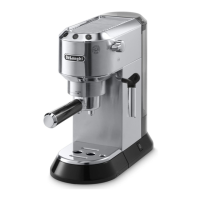
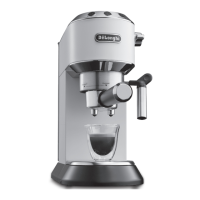
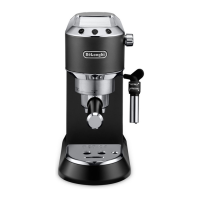
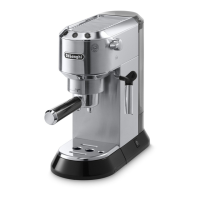
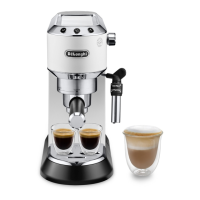
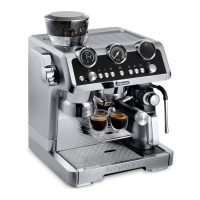
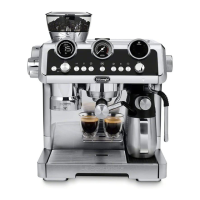
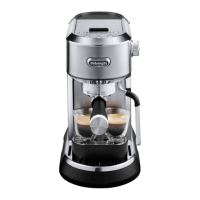
The De'Longhi Dedica Maestro EC900 is a coffee machine designed for home use, offering a range of features for preparing espresso and milk-based beverages. It is a semi-automatic espresso machine, requiring manual steps for coffee preparation and milk frothing.
Function Description:
The Dedica Maestro EC900 is primarily used for making espresso, 2x espresso, and coffee, and also features a steam wand for frothing milk to create cappuccinos and lattes, as well as for dispensing hot water. The machine incorporates a thermoblock heating system for quick heating and stable temperature control during extraction. It includes a control panel with dedicated buttons for different coffee types and functions, along with indicator lights to guide the user through various operations like heating, descaling, and water level. The machine allows for programming of coffee quantities and offers three infusion temperature levels to cater to different coffee roasts and preferences.
Important Technical Specifications:
- Voltage: 220-240V ~ 50-60Hz
- Absorbed power: 1450W
- Max. water tank capacity: 1.6 L
- Size (LxDxH): 189x346x328 mm
- Weight: 4.5 kg
- Infusion Temperatures: Min (~92°C), Med (~94°C) (default), Max (~96°C)
- Default Coffee Quantities:
- Espresso: 35ml (programmable from 20 to 90 ml)
- 2 x Espresso: 70ml (programmable from 40 to 180 ml)
- Coffee: 120ml (programmable from 80 to 180 ml)
- Water Hardness Settings: 3 levels (soft, medium, hard)
- Auto-off Time Settings: 5 minutes (default), 1.5 hour, 3 hour
- Pre-infusion Delay Settings: No delay, 1 second (default), 2 seconds
Usage Features:
The machine is designed for ease of use with a clear control panel.
- First Use: Before initial use, all accessories, including the water tank, drip tray, and small cup tray, should be washed. The internal circuits of the machine must be rinsed by running water through the filter holder and steam wand.
- Water Tank: The water tank (A2) is easily accessible by lifting the lid (A1) and can be filled with fresh water up to the MAX level. The machine has a water level sensor, and an indicator light (B2) blinks when water is running out and turns on when the tank is empty.
- Coffee Preparation:
- Users can choose between a 1-cup filter (A16) or a 2-cups filter (A15) for ground coffee.
- Ground coffee should be filled using the measuring spoon (A18) and tamped firmly with the tamper (A11). The grind size is crucial for a good espresso.
- The filter holder (A14) attaches to the machine by aligning it with "INSERT" and turning it to the "CLOSE" position.
- Dedicated buttons (B6 for Espresso, B5 for 2x Espresso, B7 for Coffee) initiate the brewing process, which stops automatically based on programmed quantities. Delivery can be interrupted manually.
- The machine offers three infusion temperature levels (Min, Med, Max) selectable via the infusion temperature button (B1), corresponding to different roast levels (Dark, Medium-dark, Light-medium).
- Pre-infusion delay can be adjusted to influence the flavor profile.
- Milk Frothing:
- The steam wand (A5) is used to froth milk. Fresh, cold milk (around 5°C) is recommended for best results.
- To froth milk, the steam button (B4) is pressed, and once the indicator light is steady, the steam dial (A4) is turned to release steam.
- The steam wand should be immersed in the milk, creating a vortex to incorporate air and create froth.
- After frothing, the steam dial is turned back, and the steam wand should be cleaned immediately.
- Hot Water Dispensing: Hot water can be dispensed through the steam wand by turning the steam dial to the hot water position.
- Programming: Coffee quantities for Espresso, 2x Espresso, and Coffee can be programmed by pressing and holding the respective buttons until the indicator light blinks, then pressing again when the desired quantity is reached.
- Menu Settings: The machine has a menu accessed by pressing and holding the infusion temperature (B1) and steam (B4) buttons for 3 seconds. This allows adjustment of pre-infusion delay, auto-off time, and water hardness.
- Default Values: All menu settings can be reset to factory defaults by pressing and holding the 2x Espresso button (B5) for 3 seconds.
Maintenance Features:
Regular cleaning and maintenance are essential for the machine's longevity and performance.
- General Cleaning:
- The appliance should be turned off and unplugged before cleaning.
- Solvents, abrasive detergents, alcohol, or metal objects should not be used.
- The drip tray (A8) and small cup tray (A13) are dishwasher safe and should be emptied and cleaned after each use.
- Drip Tray: The drip tray should be emptied and cleaned regularly, especially when the red level indicator rises.
- Cups Filters: The 1-cup (A16) and 2-cups (A15) filters should be rinsed under running water after each use. The brush (A9) can be used for cleaning.
- Coffee Spout: After every 200 coffees, the coffee spout (A7) should be rinsed by delivering about 0.5 L of water without ground coffee.
- Water Tank: The water tank (A2) should be cleaned regularly (about once a week) with a damp cloth and mild washing-up liquid, especially in the sensor area.
- Steam Wand: After every use, milk residues should be removed from the steam wand (A5) with a soft damp cloth. The cleaning needle (A10) should be used to open the hole of the nozzle once the wand has cooled down.
- Descaling:
- The machine indicates when descaling is required by the descale indicator light (B3) turning on.
- De'Longhi descaler should be used.
- The descaling process involves emptying the water tank, adding descaler and water, and then running the descaling program by pressing and holding the Espresso button (B6) for 3 seconds.
- During descaling, the steam dial should be turned to allow the descaler solution to flow through the steam wand and coffee spout.
- After descaling, the machine performs a rinse cycle, which also involves filling the water tank with fresh water and running it through the machine.
- The descale indicator light (B3) turns off when descaling is complete.
- Water Hardness Measurement: A water hardness test indicator paper (A17) is provided to measure local water hardness, allowing users to set the machine's water hardness level for optimized descaling frequency.


 To Next Page
 General