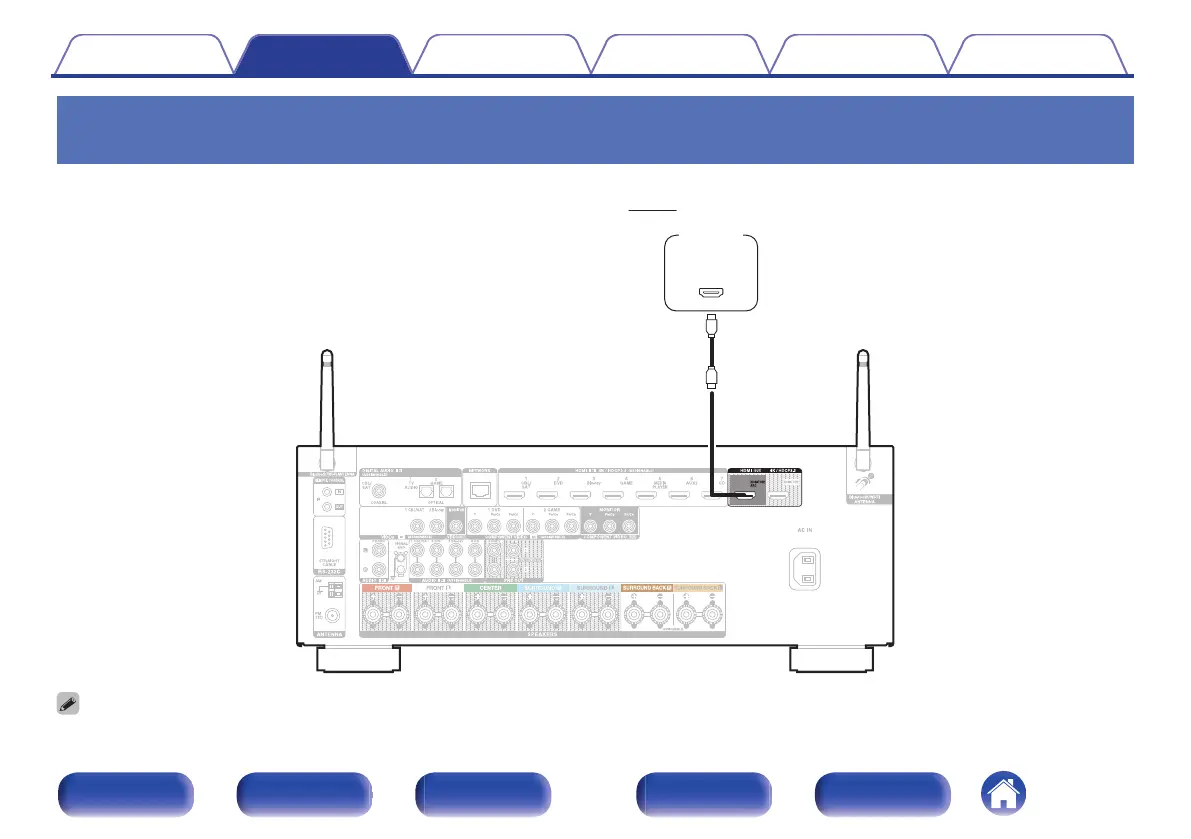
Connection 1 : TV equipped with an HDMI connector and compatible with the ARC
(Audio Return Channel)
Use an HDMI cable to connect a TV that is compatible with the ARC function to this unit.
Set “HDMI Control” to “On” when using a TV that supports the ARC function. (v
p. 162)
.
0
When using the ARC function, connect to the HDMI MONITOR 1 connector.
Contents Connections Playback Settings Tips Appendix
51
Front panel Display Rear panel Remote Index


 To Next Page
 Loading...