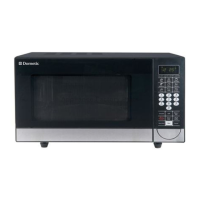
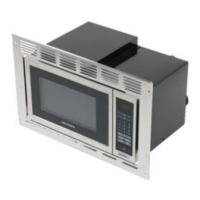
Operating the microwave oven MWO240
10
6.2 Connecting the microwave oven to the power supply
➤ Connect the power plug to the AC mains.
✓ The display flashes three times and displays “-: -”.
6.3 Setting the time
➤ Press the CLOCK button to set the time.
✓ The display shows 00:00.
➤ Press the + or – buttons to set the hours.
➤ Press the CLOCK button.
➤ Press the + or – buttons to set the minutes.
➤ Press the CLOCK button or wait 5 seconds to save the time.
7 Operating the microwave oven
I
7.1 Information on cooking food
• Arrange the food carefully. Place the thickest areas towards the outside.
• Pay attention to the cooking time. Always cook for the shortest indicated time
and increase it if necessary. Overcooked foods may produce smoke or catch fire.
• Cover food during cooking. Covers prevent splashing and ensure uniform cook-
ing.
• Turn foods such as chicken and hamburger once during the cooking process.
Large food such as roasts must be turned over at least once.
• Rearrange foods such as meatballs after half the time from top to bottom and from
the center outwards.
NOTE
A new microwave oven can cause odors due to production residues.
Ventilate the living space when using the microwave oven the first few
times. Heating a cup of water at high power multiple times is recom-
mended to eliminate odors.
MWO240_OPM_4445103106_EMEA(en).book Seite 10 Dienstag, 24. März 2020 3:46 15



 To Next Page
 Loading...